Kafka Consumer and Producer Example – Java

Producer

package com.example;

import org.apache.kafka.clients.producer.KafkaProducer;
import org.apache.kafka.clients.producer.ProducerRecord;
import org.apache.kafka.clients.producer.ProducerConfig;
import org.apache.kafka.common.serialization.StringSerializer;

import java.io.InputStream;
import java.time.LocalDateTime;
import java.time.format.DateTimeFormatter;
import java.util.Properties;

public class SimpleKafkaProducer {

    public static void main(String[] args) {
        if (args.length < 2) {
            System.err.println("Please provide Kafka server and port. Usage: SimpleKafkaProducer <kafka-server> <port>");
            System.exit(1);
        }

        String kafkaHost = args[0];
        String kafkaPort = args[1];
        String kafkaServer = kafkaHost + ":" + kafkaPort;
        String topicName = "LJRJavaTest";
        String truststorePassword = "truststore-password";

        Properties props = new Properties();
        props.put(ProducerConfig.BOOTSTRAP_SERVERS_CONFIG, kafkaServer);
        props.put(ProducerConfig.KEY_SERIALIZER_CLASS_CONFIG, StringSerializer.class.getName());
        props.put(ProducerConfig.VALUE_SERIALIZER_CLASS_CONFIG, StringSerializer.class.getName());

        // Load truststore from resources
        try (InputStream truststoreStream = SimpleKafkaProducer.class.getResourceAsStream("/kafka.client.truststore.jks")) {
            if (truststoreStream == null) {
                throw new RuntimeException("Truststore not found in resources");
            }

            // Create a temporary file to hold the truststore
            java.nio.file.Path tempTruststore = java.nio.file.Files.createTempFile("kafka.client.truststore", ".jks");
            java.nio.file.Files.copy(truststoreStream, tempTruststore, java.nio.file.StandardCopyOption.REPLACE_EXISTING);

            props.put("security.protocol", "SSL");
            props.put("ssl.truststore.location", tempTruststore.toString());
            props.put("ssl.truststore.password", truststorePassword);

            KafkaProducer<String, String> producer = new KafkaProducer<>(props);

            // Define the date-time formatter
            DateTimeFormatter formatter = DateTimeFormatter.ofPattern("yyyyMMdd 'at' HH:mm:ss");

            try {
                for (int i = 0; i < 10; i++) {
                    String key = "Key-" + i;
                    
                    // Get the current timestamp
                    String timestamp = LocalDateTime.now().format(formatter);
                    
                    // Include the timestamp, Kafka host, and port in the message value
                    String value = String.format("Message-%d (Test from %s on server %s:%s)", i, timestamp, kafkaHost, kafkaPort);
                    
                    ProducerRecord<String, String> record = new ProducerRecord<>(topicName, key, value);
                    producer.send(record);
                    System.out.println("Sent message: (" + key + ", " + value + ")");
                }
            } catch (Exception e) {
                e.printStackTrace();
            } finally {
                producer.close();
            }
        } catch (Exception e) {
            e.printStackTrace();
        }
    }
}

Consumer

package com.example;

import org.apache.kafka.clients.consumer.ConsumerConfig;
import org.apache.kafka.clients.consumer.ConsumerRecords;
import org.apache.kafka.clients.consumer.KafkaConsumer;
import org.apache.kafka.clients.consumer.ConsumerRecord;
import org.apache.kafka.common.serialization.StringDeserializer;

import java.io.InputStream;
import java.time.Duration;
import java.util.Collections;
import java.util.Properties;

public class SimpleKafkaConsumer {

    public static void main(String[] args) {
        if (args.length < 2) {
            System.err.println("Please provide Kafka server and port. Usage: SimpleKafkaConsumer <kafka-server> <port>");
            System.exit(1);
        }

        String kafkaServer = args[0] + ":" + args[1];
        String topicName = "LJRJavaTest";
        String groupId = "test-consumer-group";
        String truststorePassword = "truststore-password";

        Properties props = new Properties();
        props.put(ConsumerConfig.BOOTSTRAP_SERVERS_CONFIG, kafkaServer);
        props.put(ConsumerConfig.GROUP_ID_CONFIG, groupId);
        props.put(ConsumerConfig.KEY_DESERIALIZER_CLASS_CONFIG, StringDeserializer.class.getName());
        props.put(ConsumerConfig.VALUE_DESERIALIZER_CLASS_CONFIG, StringDeserializer.class.getName());
        props.put(ConsumerConfig.AUTO_OFFSET_RESET_CONFIG, "earliest");

        // Load truststore from resources
        try (InputStream truststoreStream = SimpleKafkaConsumer.class.getResourceAsStream("/kafka.client.truststore.jks")) {
            if (truststoreStream == null) {
                throw new RuntimeException("Truststore not found in resources");
            }

            // Create a temporary file to hold the truststore
            java.nio.file.Path tempTruststore = java.nio.file.Files.createTempFile("kafka.client.truststore", ".jks");
            java.nio.file.Files.copy(truststoreStream, tempTruststore, java.nio.file.StandardCopyOption.REPLACE_EXISTING);

            props.put("security.protocol", "SSL");
            props.put("ssl.truststore.location", tempTruststore.toString());
            props.put("ssl.truststore.password", truststorePassword);

            KafkaConsumer<String, String> consumer = new KafkaConsumer<>(props);
            consumer.subscribe(Collections.singletonList(topicName));

            try {
                while (true) {
                    ConsumerRecords<String, String> records = consumer.poll(Duration.ofMillis(100));
                    for (ConsumerRecord<String, String> record : records) {
                        System.out.printf("Consumed message: (key: %s, value: %s, offset: %d, partition: %d)%n",
                                record.key(), record.value(), record.offset(), record.partition());
                    }
                }
            } catch (Exception e) {
                e.printStackTrace();
            } finally {
                consumer.close();
            }
        } catch (Exception e) {
            e.printStackTrace();
        }
    }
}

Keystore for Trusts

The cert on my Kafka server is signed by a CA that has both a root and intermediary signing certificate. To trust the chain, I need to populate rootCA.crt and intermediateCA.crt files with the correct base64 encoded public key and import both files into a new trust store:

keytool -importcert -file rootCA.crt -keystore kafka.client.truststore.jks -alias rootCA -storepass truststore-password

keytool -importcert -file intermediateCA.crt -keystore kafka.client.truststore.jks -alias intermediateCA -storepass truststore-password

Then list certs in the trust store to verify the import was successful:

keytool -list -keystore kafka.client.truststore.jks -storepass truststore-password

And place the jks keystore with the CA certs in project:

C:.
│   pom.xml
│
├───src
│   └───main
│       ├───java
│       │   └───com
│       │       └───example
│       │               SimpleKafkaProducer.java
│       │
│       └───resources
│               kafka.client.truststore.jks

Build and Run

Create a pom.xml for the build

<project xmlns="http://maven.apache.org/POM/4.0.0"
         xmlns:xsi="http://www.w3.org/2001/XMLSchema-instance"
         xsi:schemaLocation="http://maven.apache.org/POM/4.0.0 http://maven.apache.org/xsd/maven-4.0.0.xsd">
    <modelVersion>4.0.0</modelVersion>

    <groupId>com.example</groupId>
    <artifactId>kafka-producer-example</artifactId>
    <version>1.0-SNAPSHOT</version>
    
    <properties>
        <maven.compiler.source>1.8</maven.compiler.source>
        <maven.compiler.target>1.8</maven.compiler.target>
    </properties>

    <dependencies>
        <!-- Kafka client dependency -->
        <dependency>
            <groupId>org.apache.kafka</groupId>
            <artifactId>kafka-clients</artifactId>
            <version>3.0.0</version>
        </dependency>
    </dependencies>

    <build>
        <plugins>
            <!-- Compiler plugin to ensure Java 8 compatibility -->
            <plugin>
                <groupId>org.apache.maven.plugins</groupId>
                <artifactId>maven-compiler-plugin</artifactId>
                <version>3.8.1</version>
                <configuration>
                    <source>1.8</source>
                    <target>1.8</target>
                </configuration>
            </plugin>
            <!-- Exec Maven Plugin to run the Java class -->
            <plugin>
                <groupId>org.codehaus.mojo</groupId>
                <artifactId>exec-maven-plugin</artifactId>
                <version>3.0.0</version>
                <configuration>
                    <mainClass>com.example.SimpleKafkaProducer</mainClass>
                </configuration>
            </plugin>
        </plugins>
    </build>
</project>

Build using `mvn clean package`

Run the producer using ` mvn exec:java -Dexec.mainClass=”com.example.SimpleKafkaProducer” -Dexec.args=”kafkahost.example.net 9095″`

Run the consumer using ` mvn exec:java -Dexec.mainClass=”com.example.SimpleKafkaConsumer” -Dexec.args=”kafkahost.example.net 9095″`

No Taxes on Tips / Over-Time / etc?

I’m curious if “no taxes” means no taxes or just no income tax (well, probably state tax … but that’s not something the federal government can easily control). When I was trying to support myself on minimum wage, it wasn’t federal income tax that was eating up my paycheck. It was some FICA thing — which I quickly learned was what funded social security and medicare.

Either reducing “taxes” isn’t going to have as big an impact for lower income people as they might expect or they’re talking about impacting people’s future retirement benefits. Because — reducing the earnings could very well reduce your future social security income too.

https://www.ssa.gov/pubs/EN-05-10024.pdf

It may be nice, today, not to pay taxes on that income … but if your $2/hr income is what is used to determine your retirement payments, that’s going to suck!

Apples!

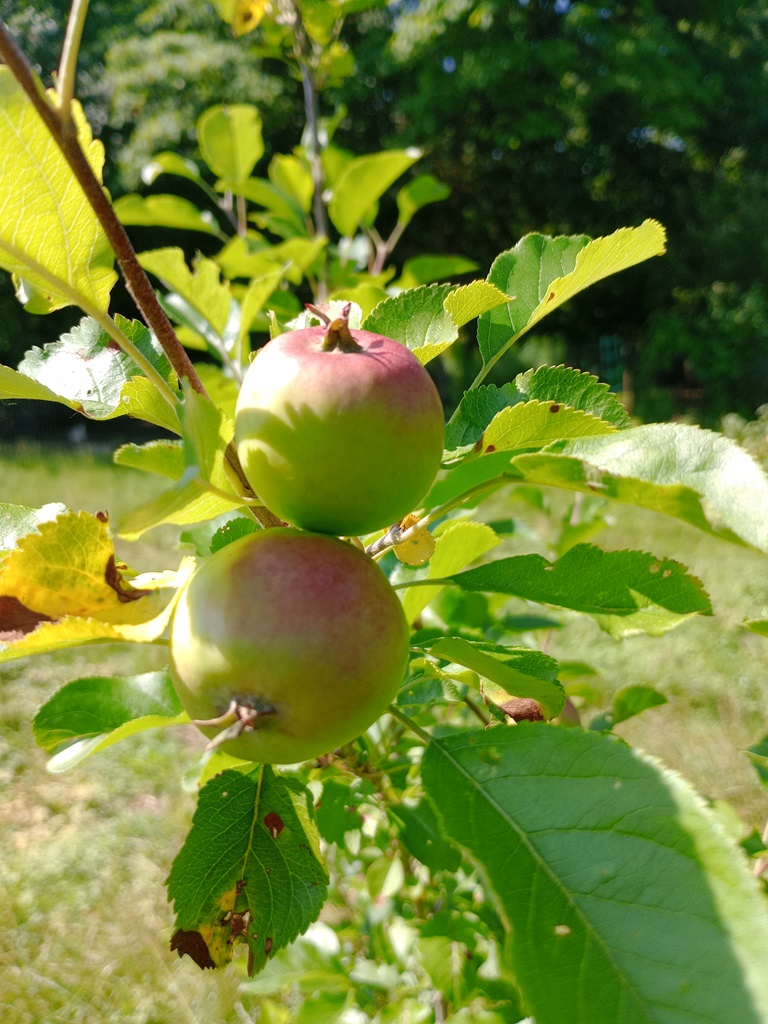
Making apple sauce is a lot less time consuming that I thought it would be — a little bit of water in the bottom of a large pot (so the apples don’t burn to the bottom). Fill the pot with apple chunks, a stick or two of cinnamon, and put a lid on it. Bring it up to a boil, turn the temp down, let them boil for 15 or 20 minutes. Take off heat and cool a bit, then run them through the blender. Voila – you’ve got apple sauce. If you re-use the liquid in the cooking pot for another batch or two, you get very tasty apple juice too.

IBC Lighting

We got a bunch of IBC totes for the price of a single one … storing water during the extra-wet parts of the year should let us get through the extra-dry parts without drawing on the ground water for crops. But the totes also glow in a very cool way when there’s a light source behind or inside of them. These would make pretty cool decorations! (and then I discovered that illuminated IBC tote walls are absolutely a thing someone else discovered)

K8s, resolv.conf, and ndots

I had a very strange problem when firewalld was used with nftables as the back end – rules configured properly in firewalld didn’t exist in the nftables rulesets so … didn’t exist. The most obvious failure in the k8s cluster was DNS resolution – requests to any nodes where nftables was the back end just timed out. In diagnosing the “dns queries time out” issue, I was watching the logs from the coredns pods. And I saw a lot of NXDOMAIN errors. Not because I had a hostname mistyped or anything – each pod was appending every domain in the resolv.conf search order before trying the actual hostname.

Quick solution was to update our hostnames to include the trailing dot for the root zone. It is not redishost.example.com but rather redishost.example.com.

But that didn’t explain why – I’ve got plenty of Linux boxes where there are some search domains in resolv.conf. Never once seen redishost.example.com.example.com come across the query log. There is a configuration that I’ve rarely used that is designed to speed up getting to the search list. You can configure ndots – the default is one, but you can set whatever positive integer you would like. Surely, they wouldn’t set ndots to something crazy high … right??

Oh, look –

Defaulted container "kafka-streams-app" out of: kafka-streams-app, filebeat
bash-4.4# cat /etc/resolv.conf
search kstreams.svc.cluster.local svc.cluster.local cluster.local mgmt.example.net dsys.example.net dnoc.example.net admin.example.net example.com
nameserver 10.6.0.5
options ndots:5

Yup, it’s right there in the source — and it’s been there for seven years:

What does this mean? Well, ndots is really just the number of dots in a hostname. If there are fewer than ndots dots, the resolver will try appending the search domains first and then try what you typed as a last resort. With one dot, that basically means a string with no dots will get the search domains appended. I guess if you go out and register a gTLD for your company – my hostname is literally just example. – then you’ll have a little inefficiency as the search domains are tried. But that’s a really edge case. With the k8s default, anything with fewer than five dots gets all of those search domains appended first.

So I need redishost.example.com? I see the following resolutions fail because there is no such hostname:

[INFO] 64.24.29.155:57014 - # "A IN redishost.example.com.svc.cluster.local. udp # false 512" NXDOMAIN qr,aa,rd 158 0.00019419s
[INFO] 64.24.29.155:57028 - # "AAAA IN redishost.example.com.svc.cluster.local. udp # false 512" NXDOMAIN qr,aa,rd 158 0.00019419s
[INFO] 64.24.29.155:56096 - # "A IN redishost.example.com.cluster.local. udp # false 512" NXDOMAIN qr,aa,rd 158 0.00019419s
[INFO] 64.24.29.155:56193 - # "AAAA IN redishost.example.com.cluster.local. udp # false 512" NXDOMAIN qr,aa,rd 158 0.00019419s
[INFO] 64.24.29.155:55001 - # "A IN redishost.example.com.mgmt.example.net. udp # false 512" NXDOMAIN qr,aa,rd 158 0.00019419s
[INFO] 64.24.29.155:55194 - # "AAAA IN redishost.example.com.mgmt.example.net. udp # false 512" NXDOMAIN qr,aa,rd 158 0.00019419s
[INFO] 64.24.29.155:54078 - # "A IN redishost.example.com.dsys.example.net. udp # false 512" NXDOMAIN qr,aa,rd 158 0.00019419s
[INFO] 64.24.29.155:54127 - # "AAAA IN redishost.example.com.dsys.example.net. udp # false 512" NXDOMAIN qr,aa,rd 158 0.00019419s
[INFO] 64.24.29.155:52061 - # "A IN redishost.example.com.dnoc.example.net. udp # false 512" NXDOMAIN qr,aa,rd 158 0.00019419s
[INFO] 64.24.29.155:52182 - # "AAAA IN redishost.example.com.dnoc.example.net. udp # false 512" NXDOMAIN qr,aa,rd 158 0.00019419s
[INFO] 64.24.29.155:51018 - # "A IN redishost.example.com.admin.example.net. udp # false 512" NXDOMAIN qr,aa,rd 158 0.00019419s
[INFO] 64.24.29.155:51104 - # "AAAA IN redishost.example.com.admin.example.net. udp # false 512" NXDOMAIN qr,aa,rd 158 0.00019419s
[INFO] 64.24.29.155:50052 - # "A IN redishost.example.com.example.com. udp # false 512" NXDOMAIN qr,aa,rd 158 0.00019419s
[INFO] 64.24.29.155:50189 - # "AAAA IN redishost.example.com.example.com. udp # false 512" NXDOMAIN qr,aa,rd 158 0.00019419s

Wonderful — IPv6 is enabled and it’s trying AAAA records too. Finally it resolves redishost.example.com!

Luckily, there is a quick solution. Update the deployment YAML to include a custom ndots value – I like 1. I could see where someone might want two – something.else where I need svc.cluster.local appended, maybe I don’t want to waste time looking up something.else … I don’t want to do that. But I could see why something higher than one might be desirable in k8s. Not sure I buy it’s awesome enough to be the default, though!

Redeployed and instantly cut the DNS traffic by about 90% — and reduced application latency as each DNS call no longer has to have fourteen failures before the final success.

Watching Redis Records for Strange Changes

I write a lot of things down to save myself time the next time I need to do the same sort of thing — and publish this to the Internet in case I can save someone else time too. But this one is so specific, I’m not sure it’s an “ever going to encounter this again” sort of thing. Just in case, though — I have device data being stored in redis — because the device doesn’t know its throughput values, you need the last time and last value paired with the current device metrics to calculate throughput. OK. But, sporadically, the cached data is updated insomuch as a new record is posted with a new timestamp. But the actual values, other than timestamp, remain unchanged. With millions of interfaces, it’s challenging to identify these situations by spot-checking the visualizations. Instead, I need to monitor redis and identify when the tstamp is updated but no other values change.

import redis
import time
import re
import json
import os

# Configuration
redis_host = 'redishost.example.net'
redis_port = 6379
redis_password = 'P@5sw0rDG03sH3r3'  # Replace with your Redis password
pattern = re.compile(r'INTERFACE_RAW_STATS_hostname\d\d\d\d_\d+_\d+')
output_file = 'changed_records.json'

# Connect to Redis
client = redis.StrictRedis(host=redis_host, port=redis_port, password=redis_password, decode_responses=True)

# Dictionary to track records
records = {}
matching_keys = []

def get_matching_keys():
    """
    Retrieve keys from Redis matching the specified pattern.

    Returns:
        list: A list of keys that match the pattern.
    """
    all_keys = client.keys()
    matching_keys = [key for key in all_keys if pattern.match(key)]
    return matching_keys

def process_keys():
    """
    Process Redis keys to track changes in data.

    Retrieves keys matching the pattern, gets their data using HGETALL,
    and tracks changes. If only the 'tstamp' field has changed and all
    other fields remain the same, the record is written to a file.
    """
    global records
    i = 0

    for key in matching_keys:
        i += 1
        data = client.hgetall(key)
        if i == 1 or i % 1000 == 0:
            print(f"Processed {i} records")

        if not data:
            continue

        collector_name = data.get('collectorName')
        node_id = data.get('nodeId')
        if_index = data.get('ifIndex')
        tstamp = data.get('tstamp')

        if not collector_name or not node_id or not if_index or not tstamp:
            continue

        unique_key = f"{collector_name}_{node_id}_{if_index}"

        if unique_key in records:
            previous_data = records[unique_key]
            if previous_data['tstamp'] != tstamp:
                # Check if all other values are the same
                if all(data[k] == previous_data[k] for k in data if k != 'tstamp'):
                    print(f"***** Record changed: {json.dumps(data, indent=2)} *****")
                    write_to_file(data)
            records[unique_key] = data  # Update the record
        else:
            records[unique_key] = data

def write_to_file(data):
    """
    Write the given data to a file.

    Args:
        data (dict): The data to write to the file.
    """
    with open(output_file, 'a') as file:
        file.write(json.dumps(data) + '\n')

if __name__ == "__main__":
    # Ensure the output file is empty at the start
    if os.path.exists(output_file):
        os.remove(output_file)

    # Retrieve the list of matching keys once
    matching_keys = get_matching_keys()

    while True:
        process_keys()
        print("Sleeping ... ")
        time.sleep(300)  # Sleep for 5 minutes