A pawn … this little guy took quite a long time to get cat shaped, but I think I’ve got it!
Chess Set – Sculpting Begins
OK, so I don’t know that anyone would see this and say “cat!” … but it’s a start!
My idea is to have a king and queen, a knight pouncing on something, a bishop based on the beckoning cat, and a rook that is a cat sleeping in a little cat tree. Pawns will just be kittens. Should probably start there since they’re the least adorned.
Cat Chess – A Starting Place
Silked Pork
Did you know … Powershell can create Visio diagrams!?!
I had to create a number of Visio diagrams for a new project. Since Blender has a Python API, I wondered if I could do something similar with Visio. There does appear to be an VSDX library for Python, I also found that Powershell can just control the Visio instance on my laptop.
This is a demo creating a diagram for a simple web server with a database back end. You can, however, use any stencils and make more complicated diagrams. The lines aren’t great — part of my Visio diagramming process is moving things around to optimize placement to avoid overlapping and confusing lines. The programmatic approach doesn’t do that, but it gets everything in the diagram. You can then move them as needed.
# Sample Visio diagram: Firewall -> Load Balancer -> Web Servers -> Database
# Auto-discovers stencils
# Works on Windows PowerShell 5.x
$ErrorActionPreference = "Stop"
# Output
$docName = "WebApp-LB-Firewall-DB.vsdx"
$outPath = Join-Path $HOME "Documents\$docName"
# Start Visio
$visio = New-Object -ComObject Visio.Application
$visio.Visible = $true
# New document/page
$doc = $visio.Documents.Add("")
$page = $visio.ActivePage
$page.Name = "Architecture"
$page.PageSheet.CellsU("PageWidth").ResultIU = 22.0
$page.PageSheet.CellsU("PageHeight").ResultIU = 14.0
# -------------------------------
# Stencil discovery and loading
# -------------------------------
$searchRoots = @(
"$env:PROGRAMFILES\Microsoft Office\root\Office16\Visio Content",
"$env:PROGRAMFILES\Microsoft Office\root\Office16\Visio Content\1033",
"$env:ProgramFiles(x86)\Microsoft Office\root\Office16\Visio Content",
"$env:ProgramFiles(x86)\Microsoft Office\root\Office16\Visio Content\1033",
"$env:PROGRAMFILES\Microsoft Office\root\Office15\Visio Content",
"$env:ProgramFiles(x86)\Microsoft Office\root\Office15\Visio Content",
"$env:PROGRAMFILES\Microsoft",
"$env:ProgramFiles(x86)\Microsoft",
"$env:PROGRAMFILES",
"$env:ProgramFiles(x86)"
) | Where-Object { Test-Path $_ }
# Keywords to select useful stencils (filename match, case-insensitive)
$stencilKeywords = @("network","server","compute","computer","azure","cloud","firewall","security","database","sql","load","balancer","web","iis")
function Find-StencilFiles {
param([string[]]$roots, [string[]]$keywords)
$results = @()
foreach ($root in $roots) {
try {
Get-ChildItem -Path $root -Filter *.vssx -Recurse -ErrorAction SilentlyContinue | ForEach-Object {
$fname = $_.Name.ToLower()
foreach ($kw in $keywords) {
if ($fname -match $kw) { $results += $_.FullName; break }
}
}
} catch { }
}
$results | Select-Object -Unique
}
function Load-Stencils {
param([string[]]$files)
$loaded = @()
foreach ($file in $files) {
try {
Write-Host "Loading stencil: $file"
$loaded += $visio.Documents.OpenEx($file, 64) # read-only
} catch {
Write-Warning "Could not load stencil: $file"
}
}
foreach ($docX in $visio.Documents) {
if ($docX.FullName -ne $doc.FullName) { $loaded += $docX }
}
$loaded | Sort-Object FullName -Unique
}
$files = Find-StencilFiles -roots $searchRoots -keywords $stencilKeywords
$stencils = Load-Stencils -files $files
if (!$stencils -or $stencils.Count -eq 0) {
Write-Warning "No stencil files loaded automatically. Fallback rectangles will be used."
} else {
Write-Host "`nLoaded stencils:" -ForegroundColor Cyan
foreach ($s in $stencils) { Write-Host " - $($s.FullName)" }
}
# -------------------------------
# Master selection helpers
# -------------------------------
function List-Masters {
foreach ($st in $stencils) {
Write-Host ("Stencil/Doc: {0}" -f $st.Name) -ForegroundColor Cyan
foreach ($m in $st.Masters) {
Write-Host (" - {0} (NameU: {1})" -f $m.Name, $m.NameU)
}
}
}
function Get-MasterByPattern([string[]]$patterns) {
foreach ($st in $stencils) {
foreach ($m in $st.Masters) {
foreach ($p in $patterns) {
if ($m.NameU -match $p -or $m.Name -match $p) {
Write-Host ("Selected master '{0}' from '{1}' for pattern '{2}'" -f $m.Name, $st.Name, $p) -ForegroundColor Green
return $m
}
}
}
}
return $null
}
# Drop master centered at x,y; keep default size; label it
function Add-Device([double]$x,[double]$y,[string]$label,[string[]]$patterns,[double]$fontSize=10) {
$m = Get-MasterByPattern $patterns
if ($null -eq $m) {
Write-Warning ("No master matched patterns: {0}. Using fallback rectangle." -f ($patterns -join ", "))
$w = 2.0; $h = 1.2
$shape = $page.DrawRectangle($x - ($w/2), $y - ($h/2), $x + ($w/2), $y + ($h/2))
} else {
$shape = $page.Drop($m, $x, $y)
}
$shape.Text = $label
$shape.CellsU("Char.Size").FormulaU = "$fontSize pt"
return $shape
}
# Simple transparent containers (thin gray outline; sent behind shapes)
function Add-Container([double]$x,[double]$y,[double]$w,[double]$h,[string]$text) {
$shape = $page.DrawRectangle($x, $y, $x + $w, $y + $h)
$shape.CellsU("LineColor").FormulaU = "RGB(180,180,180)"
$shape.CellsU("LineWeight").FormulaU = "1 pt"
$shape.CellsU("FillForegnd").FormulaU = "RGB(255,255,255)"
$shape.CellsU("FillForegndTrans").ResultIU = 1.0
$shape.Text = $text
$shape.CellsU("Char.Size").FormulaU = "12 pt"
try { $shape.SendToBack() } catch {}
return $shape
}
# Connector
function Connect($fromShape,$toShape,[string]$text="") {
$conn = $page.Drop($visio.Application.ConnectorToolDataObject, 0, 0)
$conn.CellsU("LineColor").FormulaU = "RGB(60,60,60)"
$conn.CellsU("LineWeight").FormulaU = "0.75 pt"
$fromShape.AutoConnect($toShape, 0, $conn)
if ($text) { $conn.Text = $text }
return $conn
}
# -------------------------------
# Diagram content
# -------------------------------
# Title
$title = $page.DrawRectangle(1.0, 13.4, 21.0, 13.9)
$title.Text = "Web App Architecture: Firewall -> Load Balancer -> Web Servers -> Database"
$title.CellsU("Char.Size").FormulaU = "14 pt"
# Patterns for official icons (broad to match common stencils)
$patFirewall = @("Firewall|Security|Shield|Azure.*Firewall")
$patLoadBalancer= @("Load.*Balancer|Application.*Gateway|LB|Azure.*Load.*Balancer")
$patWebServer = @("Web.*Server|IIS|Server(?! Rack)|Computer|Windows.*Server")
$patDatabase = @("Database|SQL|Azure.*SQL|DB|Cylinder")
# Containers (optional zones)
$dmz = Add-Container 1.0 10.8 20.0 2.0 "DMZ (Edge/Ingress)"
$webtier = Add-Container 4.0 6.8 14.0 3.2 "Web Tier"
$dbtier = Add-Container 8.0 3.5 10.0 2.8 "Database Tier"
$clients = Add-Container 1.0 1.0 6.0 2.2 "Clients"
# Devices (kept at native size; spaced widely)
# Edge/Ingress
$fw = Add-Device 3.0 11.8 "Firewall" $patFirewall 10
$lb = Add-Device 8.0 11.8 "Load Balancer" $patLoadBalancer 10
# Web servers (pair)
$web1 = Add-Device 9.5 8.0 "Web Server 1\nIIS" $patWebServer 10
$web2 = Add-Device 13.5 8.0 "Web Server 2\nIIS" $patWebServer 10
# Database
$db = Add-Device 13.0 4.6 "Database\nSQL" $patDatabase 10
# Clients
$client1 = Add-Device 2.0 1.8 "Client\nPC" @("Desktop|PC|Computer|Laptop") 10
$client2 = Add-Device 5.0 1.8 "Client\nServer" @("Server(?! Rack)|Windows.*Server|Computer") 10
# Connectors (flow: clients -> firewall -> LB -> web servers -> database)
Connect $client1 $fw "HTTPS"
Connect $client2 $fw "HTTPS"
Connect $fw $lb "Allow: 443"
Connect $lb $web1 "HTTP/HTTPS"
Connect $lb $web2 "HTTP/HTTPS"
Connect $web1 $db "SQL (1433/Encrypted)"
Connect $web2 $db "SQL (1433/Encrypted)"
# Save
$doc.SaveAs($outPath)
Write-Host "Saved Visio to: $outPath"
Blender – Python Script to Build Bases for Chess Pieces
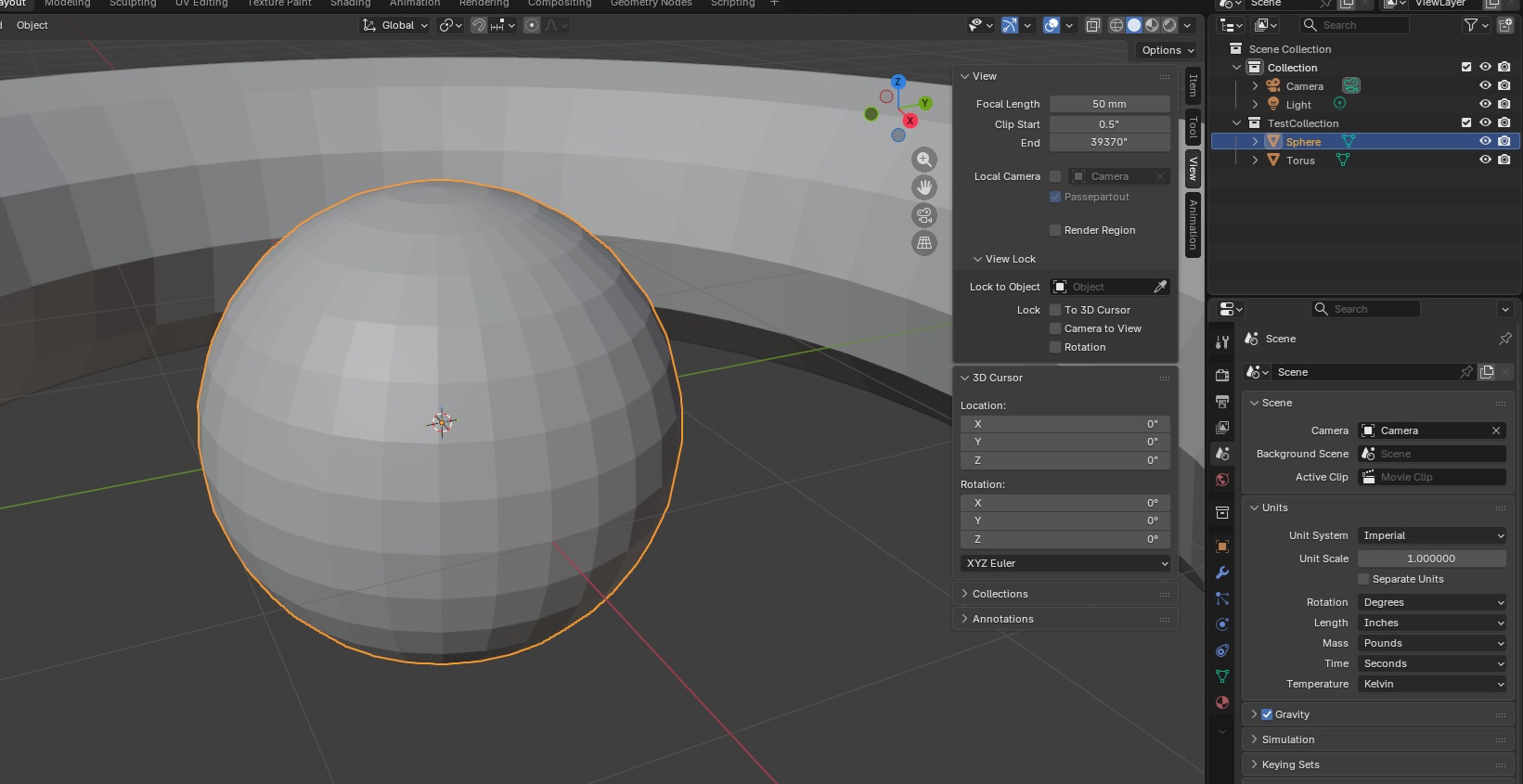
Originally, I wanted to sculpt the entire thing in python, but it appears that the programmatic interface only works in defined shapes. I guess I could construct millions of tiny triangles? polygons? to create cats … but I suspect that using the actual sculpting tools is going to be the easier approach.
However, the base of each piece seems perfect for a script. This will ensure consistency in my chess pieces (and let me play around with the Python approach since I think it is really cool that Blender takes Python code!). I am making decorated cylinders onto which my figures will sit.
import bpy
import bmesh
import math
INCH = 0.0254 # meters per inch
params = {
# Cylinder base size
"base_diameter_in": 1.75,
"base_height_in": 0.25,
# Wreath hemispheres
"hemi_count": 24,
"hemi_radius_in": 0.05,
"hemi_offset_in": 0.125, # inward from base outer edge
# Collection
"collection_name": "Chess_Base",
}
def inch(v):
return v * INCH
def ensure_collection(name):
if name in bpy.data.collections:
return bpy.data.collections[name]
col = bpy.data.collections.new(name)
bpy.context.scene.collection.children.link(col)
return col
COL = ensure_collection(params["collection_name"])
def build_base():
base_r = inch(params["base_diameter_in"]) / 2.0
base_h = inch(params["base_height_in"])
# Place the base so its top is at Z = base_h (sitting on Z=0 plane)
bpy.ops.mesh.primitive_cylinder_add(radius=base_r, depth=base_h, location=(0, 0, base_h / 2.0))
base = bpy.context.active_object
base.name = "Chess_Base_Cylinder"
# Link explicitly to target collection (in case active collection differs)
if base.name not in COL.objects:
COL.objects.link(base)
return base
def make_hemisphere_mesh(radius_m, segments=32, rings=16):
bpy.ops.mesh.primitive_uv_sphere_add(radius=radius_m, segments=segments, ring_count=rings, location=(0, 0, 0))
sph = bpy.context.active_object
bm = bmesh.new()
bm.from_mesh(sph.data)
# Keep the top hemisphere: delete vertices with z < 0 (tolerance to avoid floating error)
to_delete = [v for v in bm.verts if v.co.z < -1e-7]
if to_delete:
bmesh.ops.delete(bm, geom=to_delete, context='VERTS')
bm.to_mesh(sph.data)
bm.free()
hemi_mesh = sph.data
hemi_mesh.name = "Hemisphere_Mesh"
# Remove the temporary object but keep the mesh datablock
bpy.data.objects.remove(sph, do_unlink=True)
return hemi_mesh
def build_wreath_hemispheres(hemi_mesh):
base_r = inch(params["base_diameter_in"]) / 2.0
base_h = inch(params["base_height_in"])
ring_r = base_r - inch(params["hemi_offset_in"])
count = params["hemi_count"]
hemis = []
for i in range(count):
theta = (i / count) * 2.0 * math.pi
cx = ring_r * math.cos(theta)
cy = ring_r * math.sin(theta)
obj = bpy.data.objects.new(f"Hemi_{i:02d}", hemi_mesh)
# Flat face of hemisphere (its equator at local Z=0) sits on base top (Z=base_h)
obj.location = (cx, cy, base_h)
COL.objects.link(obj)
hemis.append(obj)
# Join hemispheres into a single object
bpy.ops.object.select_all(action='DESELECT')
for o in hemis:
o.select_set(True)
bpy.context.view_layer.objects.active = hemis[0]
bpy.ops.object.join()
wreath = bpy.context.active_object
wreath.name = "Wreath_Hemispheres"
return wreath
def build_all():
base = build_base()
hemi_mesh = make_hemisphere_mesh(inch(params["hemi_radius_in"]))
wreath = build_wreath_hemispheres(hemi_mesh)
print("Built:", base.name, wreath.name)
build_all()
Family Blender Challenge – Chess Set
Scott and I were learning enough Blender to modify a mount for the Ranger, and Anya had randomly borrowed a “Blender for Dummies” book from the library. As we’ve been learning more about Blender, I came across a video series showing how to create chess pieces as a way of learning the program. Which has sparked the family blender challenge — everyone is creating their own chess set. Anya spent some of her holiday break translating one of her wood carvings into a model to use as the pawns … now Scott and I are behind! I think I’ll make a cat themed set … I just need to learn how to sculpt in Blender since the python API interface only seems to create basic shapes.
PingFederate SAML Issuance Criterion – Or Operator
We use the “Issuance Criteria” to restrict access to applications that do just-in-time provisioning without processing group memberships to restrict who gets provisioned. The GUI, however, has an implicit AND operator … which means you cannot be allowed to log on if you are a member of X or Y

To use an OR operator, you need to use an OGNL expression. Show the advanced criteria

Use an OGNL expression — this is an example allowing members of two groups

<urn:TokenAuthorizationIssuanceCriterion AttrName="" AttrSourceType="Expression" ComparisonValue="" ErrorResult="No Role Assigned">
<urn:ExprText>#group = #this.get("memberOf"), #group.toString().contains("Scribe - Creator Access") || #group.toString().contains("Scribe - Viewer Access") ? @java.lang.Boolean@TRUE : @java.lang.Boolean@FALSE</urn:ExprText>
</urn:TokenAuthorizationIssuanceCriterion>
Cannellini Bean Alfredo Sauce
This was good, but still not quite a creamy, cheesy sauce. I started by roasting a head of garlic – drizzle in olive oil, wrap in foil, and bake at 350F for about 45 minutes.
Saute about 1/2 a cup of diced onion in 1 Tbsp of olive oil. Add one 14 oz can of cannellini beans and heat. Put in blender along with roast garlic, 1/4 cup of bone broth, 2 Tbsp lemon juice, 3 Tbsp nutritional yeast, 1/2 tsp salt, and 1/2 tsp pepper. Blend to a smooth consistency, adding more bone broth if needed. Serve with … in this case chickpea rotini.