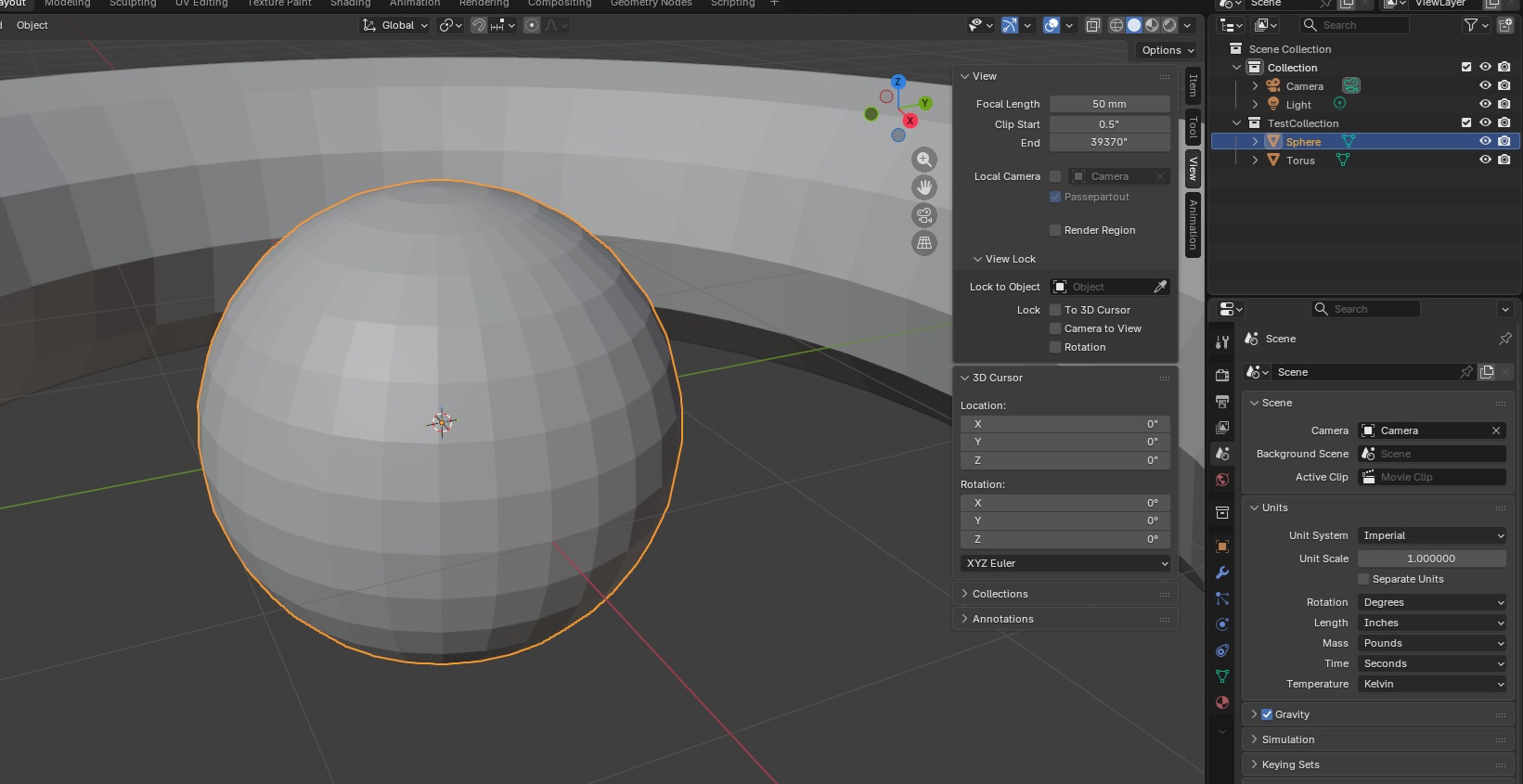
Discovered “clamp overlap” which seemingly has no documentation on Blender’s site? but essentially prevents beveling from happening in some scenarios so the newly created edges do not overlap. Disabling the clamp overlap allowed the bevel to … do something.
Category: Technology
Blender Scripting Lesson of the Week: Beveling
We were playing around with bevels this week – it’s pretty straight forward, the API lets you set the parameters you set through the GUI in a bevel modifier.
import bpy
# Clear all existing objects
for obj in list(bpy.data.objects):
bpy.data.objects.remove(obj, do_unlink=True)
# Set Units
scene = bpy.context.scene
scene.unit_settings.system = 'METRIC'
scene.unit_settings.scale_length = 0.001 # 1 BU = 1 mm
# Create rectangular cube
bpy.ops.mesh.primitive_cube_add(location=(0, 0, 0))
block = bpy.context.active_object
block.name = "Block"
# cube default size is 2x2x2, so set absolute dimensions
block.dimensions = (2.0, 20.0, 0.25)
bpy.context.view_layer.objects.active = block
block.select_set(True)
# Apply scale so booleans/bevel behave predictably
bpy.ops.object.transform_apply(location=False, rotation=False, scale=True)
# Create cylinder cutter
hole_diameter = 1.0
hole_radius = hole_diameter / 2.0
# Make it longer than the block thickness so it fully cuts through
cutter_depth = 5.0
bpy.ops.mesh.primitive_cylinder_add(
vertices=64,
radius=hole_radius,
depth=cutter_depth,
location=(0.0, 0.0, 0.0), # center of the block
rotation=(0.0, 0.0, 0.0)
)
cutter = bpy.context.active_object
cutter.name = "HoleCutter"
bpy.ops.object.transform_apply(location=False, rotation=False, scale=True)
# Boolean: cut hole
bpy.context.view_layer.objects.active = block
bool_mod = block.modifiers.new(name="Hole", type='BOOLEAN')
bool_mod.operation = 'DIFFERENCE'
bool_mod.solver = 'EXACT'
bool_mod.object = cutter
# Apply boolean
bpy.ops.object.modifier_apply(modifier=bool_mod.name)
# Hide cutter in viewport + renders
cutter.hide_set(True)
cutter.hide_render = True
# Bevel the block
bevel_width = 0.08
bevel_segments = 5
bevel_mod = block.modifiers.new(name="Bevel", type='BEVEL')
bevel_mod.width = bevel_width
bevel_mod.segments = bevel_segments
bevel_mod.limit_method = 'ANGLE'
bevel_mod.angle_limit = 0.523599 # 30 degrees in radians
# Apply bevel
bpy.ops.object.modifier_apply(modifier=bevel_mod.name)
Blender Scripting – T-Post Sign Holder
We spent a lot of the day trying to modify 3D models that we found online to work as a sign holder. Something like the bent metal plates you can buy at the tractor store. Since these are simple polygons, I thought it might be easier to script the build (plus making changes to the dimensions would just require tweaking variables).
Voila – hopefully it’s a T-post sign holder! It at least looks like one.

import bpy
import bmesh
import math
from mathutils import Vector
# Clear all existing objects
for obj in list(bpy.data.objects):
bpy.data.objects.remove(obj, do_unlink=True)
# -----------------------------
# Scene units (mm)
# -----------------------------
scene = bpy.context.scene
scene.unit_settings.system = 'METRIC'
scene.unit_settings.scale_length = 0.001 # 1 Blender unit = 1 mm
INCH = 25.4
def inch(x): return x * INCH
# -----------------------------
# PARAMETERS (mm)
# -----------------------------
bracket_thickness = inch(0.25) # sheet thickness
bracket_width = inch(3) # bracket width (across the post)
# Leg lengths (side profile)
bracket_top_length = inch(1) # bracket segment 1 length
bracket_middle_length = inch(2) # bracket segment 2 length
bracket_bottom_length = inch(4.5) # bracket segment 3 length
# Bend included angles
bend1_angle_included = 105.0 # top flange
bend2_angle_included = 255.0 # web -> long leg
# If the long leg goes the wrong direction, flip this
flip_second_bend = True
# -----------------------------
# Punch hole
# -----------------------------
do_punch = True
# T-post size references
tpost_horizontal_hole_height = inch(0.25)
tpost_horizontal_hole_width = inch(1.5)
tpost_vertical_hole_height = inch(2)
tpost_vertical_hole_width = inch(0.25)
punch_clearance = 1.0 # clearance added around each rectangle (mm)
# Position of t-post before rotation (Z from p0 end, and X across width)
punch_center_z = inch(1)
punch_center_x = bracket_width / 2
# Vertical placement on top flange (Y=0 plane)
punch_center_y = -inch(0.5)
# -----------------------------
# Optional bevel to make edges25ook more formed
# -----------------------------
do_bevel = True
bevel_width = inch(0.05)
bevel_segments = 25
# -----------------------------
# Cleanup
# -----------------------------
#for n in ["BracketShape", "PunchBar", "PunchStem", "HoleRight1", "HoleRight2", "HoleRight3", "HoleRight4", "HoleLeft1", "HoleRLeft2", "HoleLeft3", "HoleLeft4"]:
# o = bpy.data.objects.get(n)
# if o:
# bpy.data.objects.remove(o, do_unlink=True)
# -----------------------------
# Helpers (YZ plane directions)
# Define 0° as +Z. +90° is +Y. -90° is -Y.
# -----------------------------
def unit_from_angle(deg_from_posZ):
a = math.radians(deg_from_posZ)
return Vector((0.0, math.sin(a), math.cos(a)))
def boolean_diff(target, cutter):
mod = target.modifiers.new(name=f"BOOL_{cutter.name}", type="BOOLEAN")
mod.operation = 'DIFFERENCE'
mod.solver = 'EXACT'
mod.object = cutter
bpy.context.view_layer.objects.active = target
bpy.ops.object.modifier_apply(modifier=mod.name)
cutter.hide_set(True)
def add_cube(name, size_xyz, location_xyz, rotation_xyz):
bpy.ops.mesh.primitive_cube_add(size=1, location=location_xyz, rotation=rotation_xyz)
obj = bpy.context.active_object
obj.name = name
obj.scale = (size_xyz[0], size_xyz[1], size_xyz[2])
bpy.ops.object.transform_apply()
return obj
def add_cylinder(name, radius, length, location_xyz, rotation_xyz):
bpy.ops.mesh.primitive_cylinder_add(radius=radius, depth=length, location=location_xyz, rotation=rotation_xyz)
obj = bpy.context.active_object
obj.name = name
bpy.ops.object.transform_apply()
return obj
# Convert included bend angles to turn angles
angle_top = 180.0 - bend1_angle_included
angle_bottom = 180.0 - bend2_angle_included
# Start along +Z (top flange)
theta0 = 0.0
d0 = unit_from_angle(theta0)
# After bend1, go "down" (toward -Y) by turning negative
theta1 = theta0 - angle_top
d1 = unit_from_angle(theta1)
# After bend2, go toward +Z again (or flip if needed)
theta2 = theta1 + (angle_bottom if not flip_second_bend else - angle_bottom)
d2 = unit_from_angle(theta2)
# Profile points (center surface)
p0 = Vector((0.0, 0.0, 0.0)) # free end of top flange
p1 = p0 + d0 * bracket_top_length # bend1 line
p2 = p1 + d1 * bracket_middle_length # bend2 line
p3 = p2 + d2 * bracket_bottom_length # end of long leg
# -----------------------------
# Build a single connected sheet surface:
# Create two polylines separated in X, then make quads between them.
# -----------------------------
mesh = bpy.data.meshes.new("BracketShapeMesh")
bracket = bpy.data.objects.new("BracketShape", mesh)
bpy.context.collection.objects.link(bracket)
bpy.context.view_layer.objects.active = bracket
bracket.select_set(True)
bm = bmesh.new()
x0, x1 = 0.0, bracket_width
# Left side (x0)
v0a = bm.verts.new((x0, p0.y, p0.z))
v1a = bm.verts.new((x0, p1.y, p1.z))
v2a = bm.verts.new((x0, p2.y, p2.z))
v3a = bm.verts.new((x0, p3.y, p3.z))
# Right side (x1)
v0b = bm.verts.new((x1, p0.y, p0.z))
v1b = bm.verts.new((x1, p1.y, p1.z))
v2b = bm.verts.new((x1, p2.y, p2.z))
v3b = bm.verts.new((x1, p3.y, p3.z))
# Faces (one per segment)
bm.faces.new((v0a, v0b, v1b, v1a)) # top flange
bm.faces.new((v1a, v1b, v2b, v2a)) # web
bm.faces.new((v2a, v2b, v3b, v3a)) # long leg
bm.normal_update()
bm.to_mesh(mesh)
bm.free()
# -----------------------------
# Solidify to thickness (sheet metal look)
# -----------------------------
solid = bracket.modifiers.new("Solidify", type="SOLIDIFY")
solid.thickness = bracket_thickness
solid.offset = 0.0
bpy.ops.object.modifier_apply(modifier=solid.name)
# -----------------------------
# Punch the lowercase "t" on the top flange
# (Top flange is flat at Y=0; punch straight through Y)
# -----------------------------
if do_punch:
tpost_length_y = bracket_thickness * 5 # ensure it fully cuts through
# Crossbar rectangle
horizontal_hole = add_cube(
"PunchBar",
size_xyz=(tpost_horizontal_hole_width + 2 * punch_clearance, tpost_length_y, tpost_horizontal_hole_height + 2 * punch_clearance),
location_xyz=(punch_center_x, 13 + punch_center_y, punch_center_z),
rotation_xyz=(math.radians(90 - bend1_angle_included / 2), math.radians(0), math.radians(0))
)
# Stem rectangle (placed under the bar like a lowercase "t")
vertical_hole = add_cube(
"PunchStem",
size_xyz=(tpost_vertical_hole_width + 2 * punch_clearance, tpost_length_y, tpost_vertical_hole_height + 2 * punch_clearance),
location_xyz=(punch_center_x, punch_center_y, punch_center_z),
rotation_xyz=(math.radians(90), math.radians(0), math.radians(0))
#rotation_xyz=(math.radians(90 - bend1_angle_included / 2), math.radians(0), math.radians(0))
)
boolean_diff(bracket, vertical_hole)
boolean_diff(bracket, horizontal_hole)
for hole in range(4):
right_hole = add_cylinder(
"HoleRight{}".format(hole),
radius=inch(0.125),
length=100,
location_xyz=(inch(0.5), -inch(2), inch(2) + inch(1.175) * hole),
rotation_xyz=(math.radians(90), 0, 0)
)
left_hole = add_cylinder(
"HoleLeft{}".format(hole),
radius=inch(0.125),
length=100,
location_xyz=(inch(2.5), -inch(2), inch(2) + inch(1.175) * hole),
rotation_xyz=(math.radians(90), 0, 0)
)
boolean_diff(bracket, right_hole)
boolean_diff(bracket, left_hole)
# -----------------------------
# Optional bevel
# -----------------------------
if do_bevel:
bev = bracket.modifiers.new("Bevel", type="BEVEL")
bev.width = bevel_width
bev.segments = bevel_segments
bev.limit_method = 'ANGLE'
#bev.angle_limit = math.radians(35)
bev.use_clamp_overlap = False
bpy.context.view_layer.objects.active = bracket
bpy.ops.object.modifier_apply(modifier=bev.name)
API Documentation Links:
https://docs.blender.org/api/current/bpy.ops.mesh.html
https://docs.blender.org/api/current/bmesh.ops.html
Setting Windows Dynamic Port Range
In case anyone else ever needs to set a windows dynamic port range for magic RPC “stuff” — there’s a minimum range size of 255. If you make the range to small, you get an incredibly vague and not-useful “the parameter is incorrect” error. Increase num to at least the min value, and you don’t be going in circles trying to figure out what in your command doesn’t match the parameters in the documentation!
Yubikey Biometric on Fedora using FIDO2
# Insert key – was flashing green at first, flashing orange after software installed
# As root
# Install required packages
sudo dnf install pam-u2f fido2-tools yubikey-manager pamu2fcfg
# As the user
# See note below re: setting pin
# The FIDO2 PIN must be at least 4 characters, and supports any type of alphanumeric characters. Some YubiKeys can be configured to require a longer PIN. (https://docs.yubico.com/software/yubikey/tools/ykman/FIDO_Commands.html)
ykman fido access change-pin
# List current fingerprints – should be none, since no user is set up, will prompt for your pin
ykman fido fingerprints list
# Add your fingerprint – RI stands for “right index” and is essentially a display name for the fingerprint (https://docs.yubico.com/software/yubikey/tools/ykman/FIDO_Commands.html#ykman-fido-fingerprints-add-options-name)
# Green light is fast flashing & prompted to touch sensor. Not a slide, touch and remove finger. It prompts with how many more scans are needed & reports when the print is not read (capture failed, recenter your finger and try again)
# Key stopped flashing
ykman fido fingerprints add RI
# Set up pam to use key/print as auth
mkdir ~/.config/Yubico
chmod 700 ~/.config/Yubico
# Run command, when key flashes green touch it with the registered finger
pamu2fcfg –username “$USER” –origin “pam://$(hostname)” >> ~/.config/Yubico/u2f_keys
chmod 600 ~/.config/Yubico/u2f_keys
# Back as root
authselect current
# Results:
Profile ID: local
with features:
with-silent-lasting
with-mdns4
with-fingerprint
# If nothing is selected, run the following and use “-b sssd” instead of “-b local” below.
# authselect select sssd
authselect create-profile yubikey -b local
authselect select custom/yubikey with-silent-lastlog with-mdns4 with-fingerprint
# Edit two files
/etc/authselect/custom/yubikey/system-auth
/etc/authselect/custom/yubikey/password-auth
# Add this line near the top of the auth section, before the usual pam_unix.so / pam_sss.so lines:
auth sufficient pam_u2f.so authfile=.config/Yubico/u2f_keys cue userverification=1
authselect apply-changes
# Test before rebooting and losing the currently logged on session
ctrl-al`-f3 and log into the alt console
Note: You may be prompted for the FIDO2 PIN in cases like:
You haven’t enrolled fingerprints (or user verification isn’t available), and the system/app requires verification.
Too many failed fingerprint attempts and the key requires a PIN to re-enable verification.
Certain management actions (adding/removing fingerprints, resetting FIDO2, etc.).
# If not working, update the custom system-auth and password-auth to debug output
auth sufficient pam_u2f.so authfile=%h/.config/Yubico/u2f_keys cue userverification=1 debug debug_file=/var/log/u2f.log
# Initialize file, otherwise debug output goes to screen
touch /var/log/u2f.log
On GUI logon, you have to hit enter (or the arrow) like you are logging in with a password (but you don’t have to type the password) and touch the thing when it flashes green
If you register new fingerprints on the key, you do not need to regenerate your keys file
KDEWallet will prompt to store every new fingerprint you use.
Blender Scripting Lesson of the Week: Cylinders
Quick script for creating a cylinder using bpy
import bpy
# Clear all existing objects
for obj in list(bpy.data.objects):
bpy.data.objects.remove(obj, do_unlink=True)
# Set Units
scene = bpy.context.scene
scene.unit_settings.system = 'METRIC'
scene.unit_settings.scale_length = 0.001 # 1 BU = 1 mm
# Create cylinder
bpy.ops.mesh.primitive_cylinder_add(
vertices=32, radius=10.0, depth=20.0,
end_fill_type='NGON', calc_uvs=True,
enter_editmode=False, align='WORLD',
location=(0.0, 0.0, -2.0), rotation=(0.0, 0.0, 0.0),
scale=(1, 1, 1)
)
# Name cylinder
obj = bpy.context.active_object
obj.name = "MyCylinder"
# Frame Selected
for area in bpy.context.window.screen.areas:
if area.type == 'VIEW_3D':
for region in area.regions:
if region.type == 'WINDOW':
with bpy.context.temp_override(area=area, region=region):
bpy.ops.view3d.view_selected(use_all_regions=False)
break
break
Venafi Cert Issuance Fails after Windows 2022 Upgrade
Certificate Issuance Fails
After requesting a certificate, the request immediately fails with the error:
Failed to post CSR with error: Unknown certificate profile type.
I think it is just a coincidence, but wanted to document the scenario in case it comes up again. The application makes web calls to a vendor API to issue certs. The API calls, after the upgrade, were failing.
In this scenario, a call was being made to {base_url}/api/ssl/v1/types, the connection failed. Since the list of valid certificate profiles could not be retrieved, the request failed saying the certificate profile was unknown.
GET https://hard.cert-manager.com/api/ssl/v1/types?organizationId=####
Looking at a debug trace, the following flow was observed:
- Authentication headers sent: login=<REDACTED>, password=<REDACTED>, customerUri=<REDACTED>
- Transport-level failure (no HTTP status returned on the failing attempt)
- Symptoms: “Decrypt failed with error 0X90317” followed by “The underlying connection was closed: The connection was closed unexpectedly.”
- Context: Revocation checks reported “revocation server was offline,” then the client proceeded; long idle/keep-alive reuse likely contributed to the close.
Connection reuse vs server keep-alive: Apache is advertising Keep-Alive: timeout=3. The .NET client is reusing long-idle TLS connections via the proxy; by the time it sends application data, the server/proxy has already closed the session, leading to “underlying connection was closed” errors.
Revocation checks through the proxy: The .NET trace shows “revocation server was offline” before proceeding. That extra handshake work plus proxy blocking CRL/OCSP can increase latency and contribute to idle reuse issues.
.NET SChannel quirks: Older HttpWebRequest/ServicePoint behaviors (Expect100-Continue, connection pooling) can interact poorly with short keep-alive servers/proxies.
Luckily, this is a .NET application, and you can create custom configuration files for .NET apps. In the file with the binary, look for a text file named BinaryName.exe.config
If none exists, create one. The following disables the proxy:
<?xml version=”1.0″ encoding=”utf-8″?>
<configuration>
<system.net>
<!– Turn off use of the system proxy for this app –>
<defaultProxy enabled=”true”>
<proxy usesystemdefault=”false” />
</defaultProxy>
</system.net>
</configuration>
Client Connections to HTTPS IIS Site Fail After Upgrade to Windows Server 2022
Client connections to the HTTPS IIS site failed with the following error:
Secure Connection Failed
An error occurred during a connection to webhost.example.com.
PR_CONNECT_RESET_ERROR
Error code: PR_CONNECT_RESET_ERROR
The page you are trying to view cannot be shown because the authenticity of the received data could not be verified. Please contact the website owners to inform them of this problem.
The IIS site was set to “accept” client certificates.
- Client Certificates = Accept means IIS/HTTP.sys will try to retrieve a client certificate only if the app touches Request.ClientCertificate (or a module that maps/validates client certs). That retrieval is done via TLS renegotiation in TLS 1.2.
- On Server 2022, browsers prefer TLS 1.3. TLS 1.3 does not support the old renegotiation used to fetch a client cert mid‑request. When your app/module at “/” accesses the client cert, IIS attempts renegotiation, fails, and the connection is reset.
Setting Client Certificates to “Ignore” in the site’s “SSL Settings” prevents IIS from attempting to renegotiate, so the site loads. This obviously isn’t a solution if you want to use client certificates to authenticate … but we’re authenticating through Ping, so don’t actually need the client certs.
Apache OIDC Authentication to PingFederate (or PingID) Using OIDC
This is kind of a silly update to my attempt to document using mod_auth_openidc in Apache. At the time, I didn’t know who set up the PingFederate side of the connection, so I just used Google as the authentication provider. Five years later, I am one of the people setting up the connections and can finally finish the other side. So here is an update — now using PingFederate as the OIDC/OAUTH provider.
OAUTH Client Setup – Apache
First, make sure mod_auth_openidc is installed

In your Apache config, you can add authentication to the entire site or just specific paths under the site. In this example, we are creating an authenticated sub-directory at /authtest
In the virtual host, I am adding an alias for the protected path as /authtest, configuring the directory, and configuring the location to require valid-user using openid-connect. I am then configuring the OIDC connection.
The OIDCClientID and OIDCClientSecret will be provided to you after the connection is set up in PingID. Just put placeholders in until the real values are known.
The OIDCRedirectURI needed to be a path under the protected directory for me – the Apache module handles the callback. Provide this path on the OIDC connection request.
The OIDCCryptoPassphrase just needs to be a long pseudo-random string. It can include special characters.
# Serve /authtest from local filesystem Alias /authtest "/var/www/vhtml/sandbox/authtest/" <Directory "/var/www/vhtml/sandbox/authtest"> Options -Indexes +FollowSymLinks AllowOverride None Require all granted </Directory> # mod_auth_openidc configuration for Ping (PingFederate/PingID) # The firewall will need to be configured to allow web server to communicate with this host OIDCProviderMetadataURL https://authpoint.example.com/.well-known/openid-configuration # The ID and secret will be provided to you OIDCClientID d5d53555-7525-4555-a565-b525c59545d5 OIDCClientSecret p78…Q2kxB # Redirect/callback URI – provide this in the request form for the callback URL OIDCRedirectURI https://www.rushworth.us/authtest/callback # Session/cookie settings – you make up the OIDCCryptoPassphrase OIDCCryptoPassphrase "…T9y" OIDCCookiePath /authtest OIDCSessionInactivityTimeout 3600 OIDCSessionMaxDuration 28800 # Scopes and client auth OIDCScope "openid profile email" OIDCRemoteUserClaim preferred_username OIDCProviderTokenEndpointAuth client_secret_basic # If Ping's TLS cert at https://localhost:9031 isn't trusted by the OS CA store, # install the proper CA chain, or temporarily disable validation (not recommended long-term): # OIDCSSLValidateServer Off # Protect the URL path with OIDC <Location /authtest> AuthType openid-connect Require valid-user OIDCUnAuthAction auth </Location>
Sample web code for the “protected” page if you want to use the user’s ID. The user’s email is found at $_server[‘OIDC_CLAIM_email’]
[lisa@fedora conf.d]# cat /var/www/vhtml/sandbox/authtest/index.php
<?php
if( isset($_SERVER['OIDC_CLAIM_iss']) && $_SERVER['OIDC_CLAIM_iss'] == "https://authpoint.example.com"){
echo "I trust you are " . $_SERVER['OIDC_CLAIM_username'] . "\n";
}
else{
print "Not authenticated ... \n";
print "<UL>\n";
foreach($_SERVER as $key_name => $key_value) {
print "<LI>" . $key_name . " = " . $key_value . "\n";
}
print "</UL>\n";
}
?>
Results on the web page – user will be directed to PingID to authenticate, and you will verify that the auth point has authenticated them as the OIDC_CLAIM_username value.
OAUTH Client Setup – PingID
Client auth, add redirect URLs


Viewing *Real* Certificate Chain
Browsers implement AIA which “helps” by repairing the certificate chain and forming a trust even without proper server configuration. Which is great for user experience, but causes a lot of challenges to people troubleshooting SSL connection failures from devices, old equipment, etc. It’s fine when I try it from my laptop!
This python script reports on the real certificate chain being served from an endpoint. Self-signed certificates will show as untrusted

And public certs will show the chain and show as trusted

Code:
import ssl
import socket
import datetime
import select
# Third-party modules (install: pip install pyopenssl cryptography)
try:
from OpenSSL import SSL, crypto
from cryptography import x509
from cryptography.hazmat.primitives import hashes
except ImportError as e:
raise SystemExit(
"Missing required modules. Please install:\n"
" pip install pyopenssl cryptography\n"
f"Import error: {e}"
)
def prompt(text, default=None):
s = input(text).strip()
return s if s else default
def check_trust(hostname: str, port: int, timeout=6.0):
"""
Attempt a TLS connection using system trust store and hostname verification.
Returns (trusted: bool, message: str).
"""
try:
ctx = ssl.create_default_context()
with socket.create_connection((hostname, port), timeout=timeout) as sock:
with ctx.wrap_socket(sock, server_hostname=hostname) as ssock:
# Minimal HTTP GET to ensure we fully complete the handshake
req = f"GET / HTTP/1.1\r\nHost: {hostname}\r\nConnection: close\r\n\r\n"
ssock.sendall(req.encode("utf-8"))
_ = ssock.recv(1)
return True, "TRUSTED (system trust store)"
except ssl.SSLCertVerificationError as e:
return False, f"NOT TRUSTED (certificate verification error): {e}"
except ssl.SSLError as e:
return False, f"NOT TRUSTED (SSL error): {e}"
except Exception as e:
return False, f"Error connecting: {e}"
def _aware_utc(dt: datetime.datetime) -> datetime.datetime:
"""
Ensure a datetime is timezone-aware in UTC. cryptography returns naive UTC datetimes.
"""
if dt.tzinfo is None:
return dt.replace(tzinfo=datetime.timezone.utc)
return dt.astimezone(datetime.timezone.utc)
def _cert_to_info(cert: x509.Certificate):
subj = cert.subject.rfc4514_string()
issr = cert.issuer.rfc4514_string()
fp_sha1 = cert.fingerprint(hashes.SHA1()).hex().upper()
nb = _aware_utc(cert.not_valid_before_utc)
na = _aware_utc(cert.not_valid_after_utc)
now = datetime.datetime.now(datetime.timezone.utc)
delta_days = max(0, (na - now).days)
return {
"subject": subj,
"issuer": issr,
"sha1": fp_sha1,
"not_before": nb,
"not_after": na,
"days_to_expiry": delta_days
}
def _do_handshake_blocking(conn: SSL.Connection, sock: socket.socket, timeout: float):
"""
Drive the TLS handshake, handling WantRead/WantWrite by waiting with select.
"""
deadline = datetime.datetime.now() + datetime.timedelta(seconds=timeout)
while True:
try:
conn.do_handshake()
return
except SSL.WantReadError:
remaining = (deadline - datetime.datetime.now()).total_seconds()
if remaining <= 0:
raise TimeoutError("TLS handshake timed out (WantRead)")
r, _, _ = select.select([sock], [], [], remaining)
if not r:
raise TimeoutError("TLS handshake timed out (WantRead)")
continue
except SSL.WantWriteError:
remaining = (deadline - datetime.datetime.now()).total_seconds()
if remaining <= 0:
raise TimeoutError("TLS handshake timed out (WantWrite)")
_, w, _ = select.select([], [sock], [], remaining)
if not w:
raise TimeoutError("TLS handshake timed out (WantWrite)")
continue
def fetch_presented_chain(hostname: str, port: int, timeout: float = 12.0):
"""
Capture the presented certificate chain using pyOpenSSL.
Returns (chain: list of {subject, issuer, sha1, not_before, not_after, days_to_expiry}, error: str or None).
"""
# TCP connect
try:
sock = socket.create_connection((hostname, port), timeout=timeout)
sock.settimeout(timeout)
except Exception as e:
return [], f"Error connecting: {e}"
try:
# TLS client context
ctx = SSL.Context(SSL.TLS_CLIENT_METHOD)
# Compatibility tweaks:
# - Lower OpenSSL security level
try:
ctx.set_cipher_list(b"DEFAULT:@SECLEVEL=1")
except Exception:
pass
# - Disable TLS 1.3 and set minimum TLS 1.2
try:
ctx.set_options(SSL.OP_NO_TLSv1_3)
except Exception:
pass
try:
# Ensure TLSv1.2+ (pyOpenSSL exposes set_min_proto_version on some builds)
if hasattr(ctx, "set_min_proto_version"):
ctx.set_min_proto_version(SSL.TLS1_2_VERSION)
except Exception:
pass
# - Set ALPN to http/1.1 (some paths work better when ALPN is present)
try:
ctx.set_alpn_protos([b"http/1.1"])
except Exception:
pass
conn = SSL.Connection(ctx, sock)
conn.set_tlsext_host_name(hostname.encode("utf-8"))
conn.set_connect_state()
# Blocking mode (best effort)
try:
conn.setblocking(True)
except Exception:
pass
# Drive handshake
_do_handshake_blocking(conn, sock, timeout=timeout)
# Retrieve chain (some servers only expose leaf)
chain = conn.get_peer_cert_chain()
infos = []
if chain:
for c in chain:
der = crypto.dump_certificate(crypto.FILETYPE_ASN1, c)
cert = x509.load_der_x509_certificate(der)
infos.append(_cert_to_info(cert))
else:
peer = conn.get_peer_certificate()
if peer is not None:
der = crypto.dump_certificate(crypto.FILETYPE_ASN1, peer)
cert = x509.load_der_x509_certificate(der)
infos.append(_cert_to_info(cert))
# Cleanup
try:
conn.shutdown()
except Exception:
pass
finally:
try:
conn.close()
except Exception:
pass
try:
sock.close()
except Exception:
pass
if not infos:
return [], "No certificates captured (server did not present a chain and peer cert unavailable)"
return infos, None
except Exception as e:
try:
sock.close()
except Exception:
pass
etype = type(e).__name__
emsg = str(e) or "no message"
return [], f"TLS handshake or chain retrieval error: {etype}: {emsg}"
def main():
hostname = prompt("Enter hostname to test (e.g., example.domain.com): ")
if not hostname:
print("Hostname is required.")
return
port_str = prompt("Enter port [default 443]: ", "443")
try:
port = int(port_str)
except ValueError:
print("Invalid port.")
return
print(f"\nTesting TLS chain for {hostname}:{port} ...")
chain, err = fetch_presented_chain(hostname, port)
print("\nPresented chain:")
if err:
print(f" [ERROR] {err}")
elif not chain:
print(" [No certificates captured]")
else:
for i, ci in enumerate(chain, 1):
print(f" [{i}] Subject: {ci['subject']}")
print(f" Issuer: {ci['issuer']}")
print(f" SHA1: {ci['sha1']}")
nb_val = ci.get("not_before")
na_val = ci.get("not_after")
nb_str = nb_val.isoformat() if isinstance(nb_val, datetime.datetime) else str(nb_val)
na_str = na_val.isoformat() if isinstance(na_val, datetime.datetime) else str(na_val)
print(f" Not Before: {nb_str}")
print(f" Not After: {na_str}")
dte = ci.get("days_to_expiry")
if dte is not None:
print(f" Expires In: {dte} days")
trusted, msg = check_trust(hostname, port)
print(f"\nTrust result: {'TRUSTED' if trusted else 'NOT TRUSTED'} - {msg}")
if __name__ == "__main__":
main()