ElasticSearch ILM – Data Lifecycle

The following defines a simple data lifecycle policy we use for event log data.

Immediately, the data is in the “hot” phase.

After one day, it is moved to the “warm” phase where the number of segments is compressed to 1 (lots-o-segments are good for writing, but since we’re dealing with timescale stats & log data [i.e. something that’s not being written to the next day], there is no need to optimize write performance. The index will be read only, thus can be optimized for read performance). After seven days, the index is frozen (mostly moved out of memory) as in this use case, data generally isn’t used after a week. Thus, there is no need to fill up the server’s memory to speed up access to unused data elements. Since freeze is deprecated in a future version (due to improvements in memory utilization that should obsolete freezing indices), we’ll need to watch our memory usage after upgrading to ES8.

Finally, after fourteen days, the data is deleted.

To use the policy, set it as the template on an index:

Upon creating a new index (ljrlogs-5), the ILM policy has been applied:

Orchard Layout

We should finally be past freezing nights for the season, so it’s time to get the fruit plants out in the orchard. I’ve got a couple of gooseberries and a hardy fig to put somewhere. But, in the next few days, I’ll get the currants, honey berries, seaberries, pawpaw, and cherry trees planted.

Upgrading ElasticSearch – From 7.6 to 7.17

Before upgrading to 8, you must be running at least version 7.17 … so I am first upgrading my ES7 to a new enough version that upgrading to ES8 is possible.

Environment

Not master eligible nodes:
a6b30865c82c.example.com
a6b30865c83c.example.com

Master eligible nodes:
a6b30865c81c.example.com


  1. Disable shard allocation

PUT _cluster/settings{  "persistent": {    "cluster.routing.allocation.enable": "primaries"  }}


  1. Stop non-essential indexing and flush

POST _flush/synced

  1. Upgrade the non-master eligible nodes first then the master-eligible nodes. One at a time, SSH to the host and upgrade ES
    a. Stop ES

systemctl stop elasticsearch
b. Install the new RPM:
rpm --import https://artifacts.elastic.co/GPG-KEY-elasticsearch
wget https://artifacts.elastic.co/downloads/elasticsearch/elasticsearch-7.17.3-x86_64.rpm
wget https://artifacts.elastic.co/downloads/elasticsearch/elasticsearch-7.17.3-x86_64.rpm.sha512
shasum -a 512 -c elasticsearch-7.17.3-x86_64.rpm.sha512


rpm -U elasticsearch-7.17.3-x86_64.rpm

c. Update configuration for new version
vi /usr/lib/tmpfiles.d/elasticsearch.conf


vi /etc/elasticsearch/elasticsearch.yml # Add the action.auto_create_index as required -- * for all, or you can restrict auto-creation to certain indices

d. Update unit file and start services
systemctl daemon-reload
systemctl enable elasticsearch
systemctl start elasticsearch.service

  1. On the Kibana server, upgrade Kibana to a matching version:systemctl stop kibana
    wget https://artifacts.elastic.co/downloads/kibana/kibana-7.17.3-x86_64.rpm
    rpm -U kibana-7.17.3-x86_64.rpm
    sytemctl daemon-reload
    systemctl enable kibana
    systemctl start kibana
  2. Access the Kibana console and ensure the upgraded node is back online

  1. Re-enable shard allocation

PUT _cluster/settings{"persistent": {"cluster.routing.allocation.enable": null }}

Linux Disk Utilization – Reducing Size of /var/log/sa

We occasionally get alerted that our /var volume is over 80% full … which generally means /var/log has a lot of data, some of which is really useful and some of it not so useful. The application-specific log files already have the shortest retention period that is reasonable (and logs that are rotated out are compressed). Similarly, the system log files rotated through logrotate.conf and logrotate.d/* have been configured with reasonable retention.

Using du -sh /var/log/ showed the /var/log/sa folder took half a gig of space.

This is the daily output from sar (a “daily summary of process accounting” cron’d up with /etc/cron.d/sysstat). This content doesn’t get rotated out with the expected logrotation configuration. It’s got a special configuration at /etc/sysconfig/sysstat — changing the number of days (or, in my case, compressing some of the older files) is a quick way to reduce the amount of space the sar output files consume).

Certbot — Plugin Not Found

I got a certificate expiry warning this morning — an oddity because I’ve had a cron task renewing our certificates for quite some time. Running the cron’d command manually … well, that would do it! The plug-in for my DNS registrar isn’t found.

Checking the registered plugins, well … it’s not there.

Except it’s there — running “pip install certbot-dns-porkbun” (and even trying pip3 just to make sure) tells me it’s already installed. Looking around for the files, this turns out to be one of those things that there’s obviously a right way to solve and a quick way to solve. For some reason, /usr/local/lib is not being searched for packages even though it’s included in my PYTHONPATH. The right thing to do is figure out why this is happening. Quick solution? Symlink the things into where they need to be

ln -s /usr/local/lib/python3.10/site-packages/certbot_dns_porkbun /usr/lib/python3.10/site-packages/
ln -s /usr/local/lib/python3.10/site-packages/pkb_client /usr/lib/python3.10/site-packages/
ln -s /usr/local/lib/python3.10/site-packages/filelock /usr/lib/python3.10/site-packages/
ln -s /usr/local/lib/python3.7/site-packages/tldextract /usr/lib/python3.10/site-packages/
ln -s /usr/local/lib/python3.10/site-packages/requests_file /usr/lib/python3.10/site-packages/

ln -s /usr/local/lib/python3.10/site-packages/certbot_dns_porkbun-0.2.1.dist-info /usr/lib/python3.10/site-packages/
ln -s /usr/local/lib/python3.10/site-packages/filelock-3.6.0.dist-info /usr/lib/python3.10/site-packages/
ln -s /usr/local/lib/python3.10/site-packages/pkb_client-1.2.dist-info /usr/lib/python3.10/site-packages/
ln -s /usr/local/lib/python3.7/site-packages/tldextract-3.0.2.dist-info/ /usr/lib/python3.10/site-packages/
ln -s /usr/local/lib/python3.10/site-packages/requests_file-1.5.1.dist-info /usr/lib/python3.10/site-packages/

Voila, the plug-in exists again (and my cron task successfully renews the certificate)

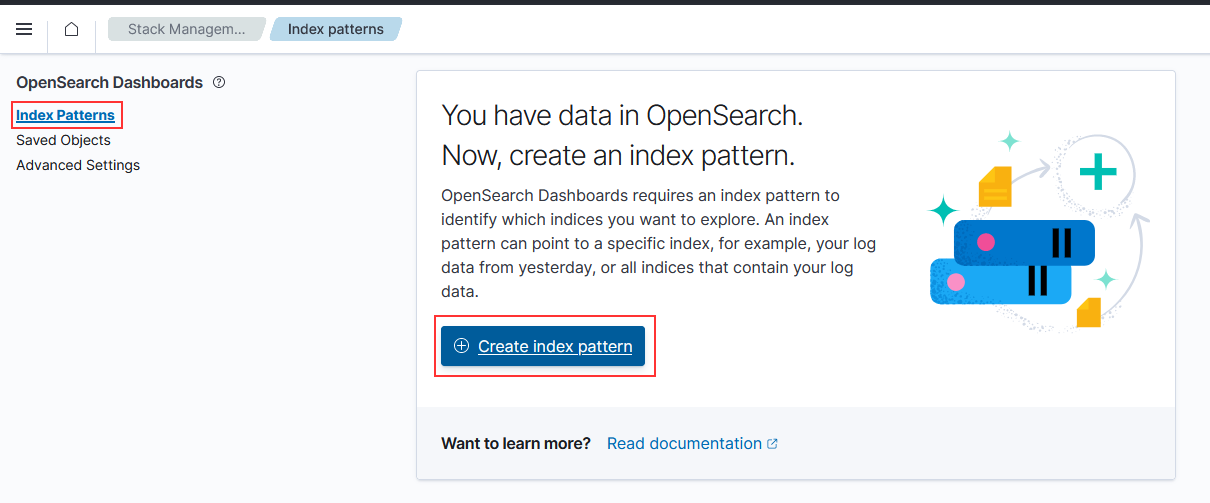
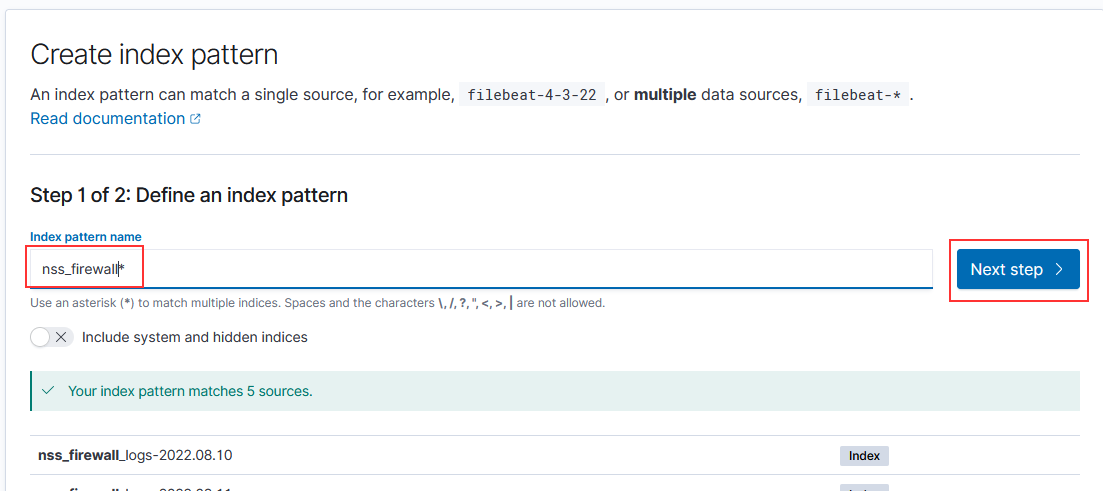
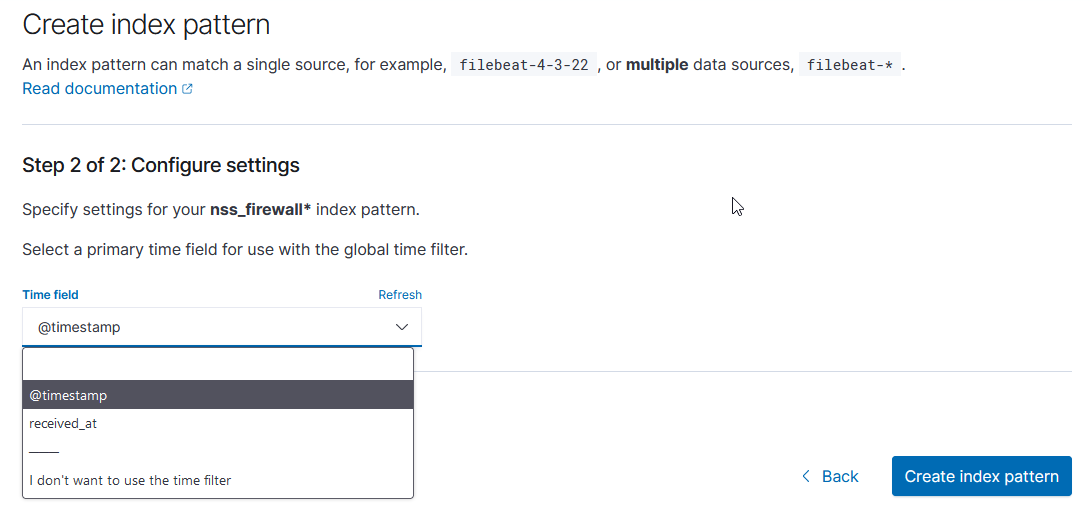
Kibana – Defining Index Patterns

This isn’t something I will notice again now that I’ve got my heap space sorted … but when you are using Kibana to add index patterns, there’s nothing that waits until you’ve stopped typing for x seconds or implements a minimum characters before searching. So, after each character you type into the dialog, a search is performed against the ES server — here I wanted to create a pattern for logstash-* — which sent nine different search requests to my ES. And, if the server is operating reasonably, all of these searches would deliver a result set that Kibana essentially ignores as I’m tying more characters. But, in my case, the ES server fell over before I could even type logstash!

ElasticSearch Java Heap Size — Order of Precedence

I was asked to look at a malfunctioning ElasticSearch server this week. It’s a lab sandbox, so not a huge deal … but still something they wanted online and functioning for some proof-of-concept testing. And, as a bonus, they’re willing to let us use their lab servers for our own sandboxing (IPv6 implementation, ELK upgrades). There were a handful of problems (it looks like the whole thing used to be a multi-node cluster but the second cluster node has vanished without any trace, the entire platform was re-IP’d, vm.max_map_count wasn’t set on the Docker server, and the logstash folder had a backup of a pipeline config in /path/to/logstash/pipeline/ … which still loads, so causes a continual stream of port-in-use exceptions). But the biggest problem was that any attempt at actually using the ElasticSearch server resulted in it falling over. Java crashed with an out of memory error because the heap space was exhausted. Now I’ve had really small sandboxes before — my first ES sandbox only had a gig of memory and was quite prone to this crash. But the lab server they’ve set up has 64GB of memory. So allocating a few gigs seemed like a quick solution.

The jvm.options file and jvm.options.d folder weren’t mounted into the container — they were the default files held within the container. Which seemed odd, and I made a mental note that it was something we’d need to either mount in or update again when the container gets updated. But no matter how much heap space I allocated, ES crashed.

I discovered that the Docker deployment set an ENV variable for ES_JAVA_OPTS — something which, per the ElasticSearch documentation, overrides all other JVM options. So no matter what I was putting into the jvm options file, the 256 meg set in the ENV was actually being used.

Luckily it’s not terribly difficult to modify the ENV’s within an existing container. You could, of course, redeploy the container with the new settings (and I’ll do that next time, since I’ve also got to get IPv6 enabled). But I wasn’t planning on making any other changes.