Tag: certificate management

Azure Key Vault Integration with Azure Pipelines

This document assumes:

Azure CLI is installed (https://learn.microsoft.com/en-us/cli/azure/install-azure-cli-linux)

You already have an agent pool with online agent in a deployment pool
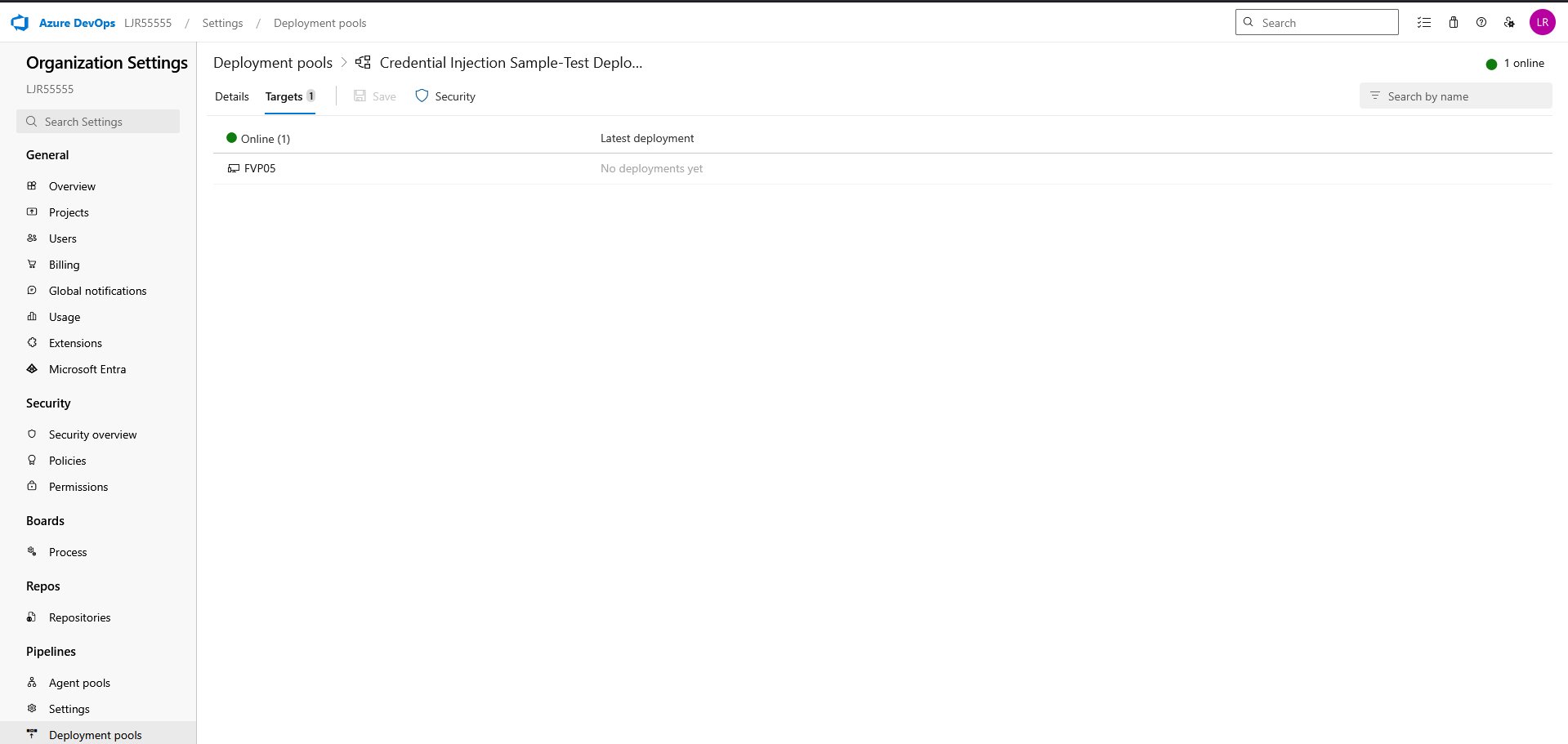
And, finally, that you have a pipeline deployment that uses a static keystore. We will be replacing that static keystore file with one obtained from the Azure Key Vault.

First, ensure the Azure DevOps service connection used by the pipeline has access to LJRVenafiTestKeyVault with at least:

  • Secrets: Get, List

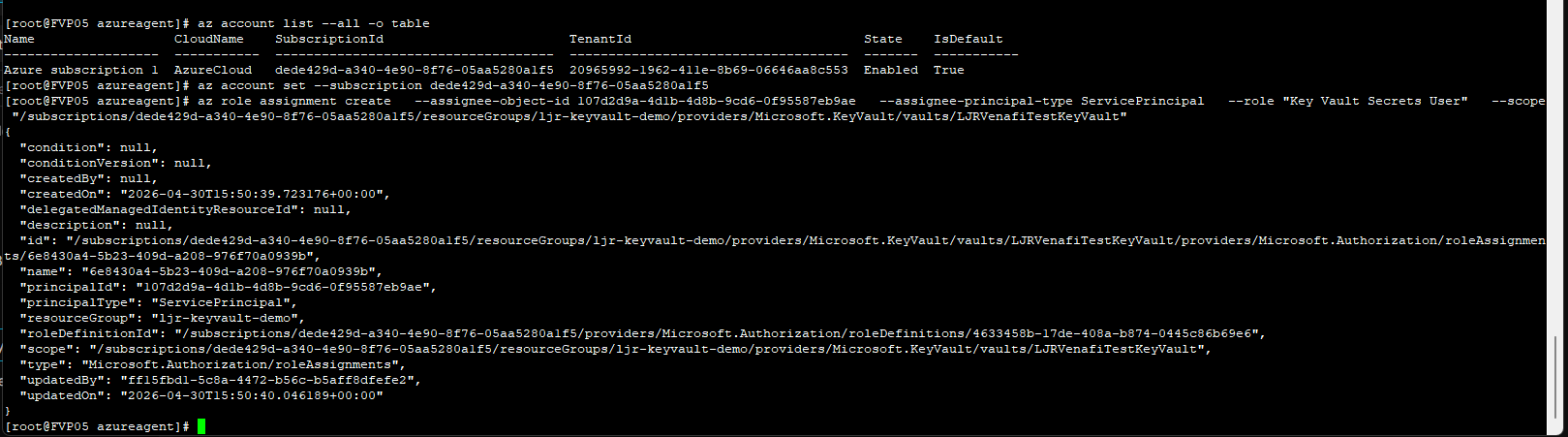
From the Azure command line, e.g.

az role assignment create –assignee-object-id 107d2d9a-4d1b-4d8b-9cd6-0f95587eb9ae –assignee-principal-type ServicePrincipal –role “Key Vault Secrets User” –scope “/subscriptions/dede429d-a340-4e90-8f76-05aa5280a1f5/resourceGroups/ljr-keyvault-demo/providers/Microsoft.KeyVault/vaults/LJRVenafiTestKeyVault”
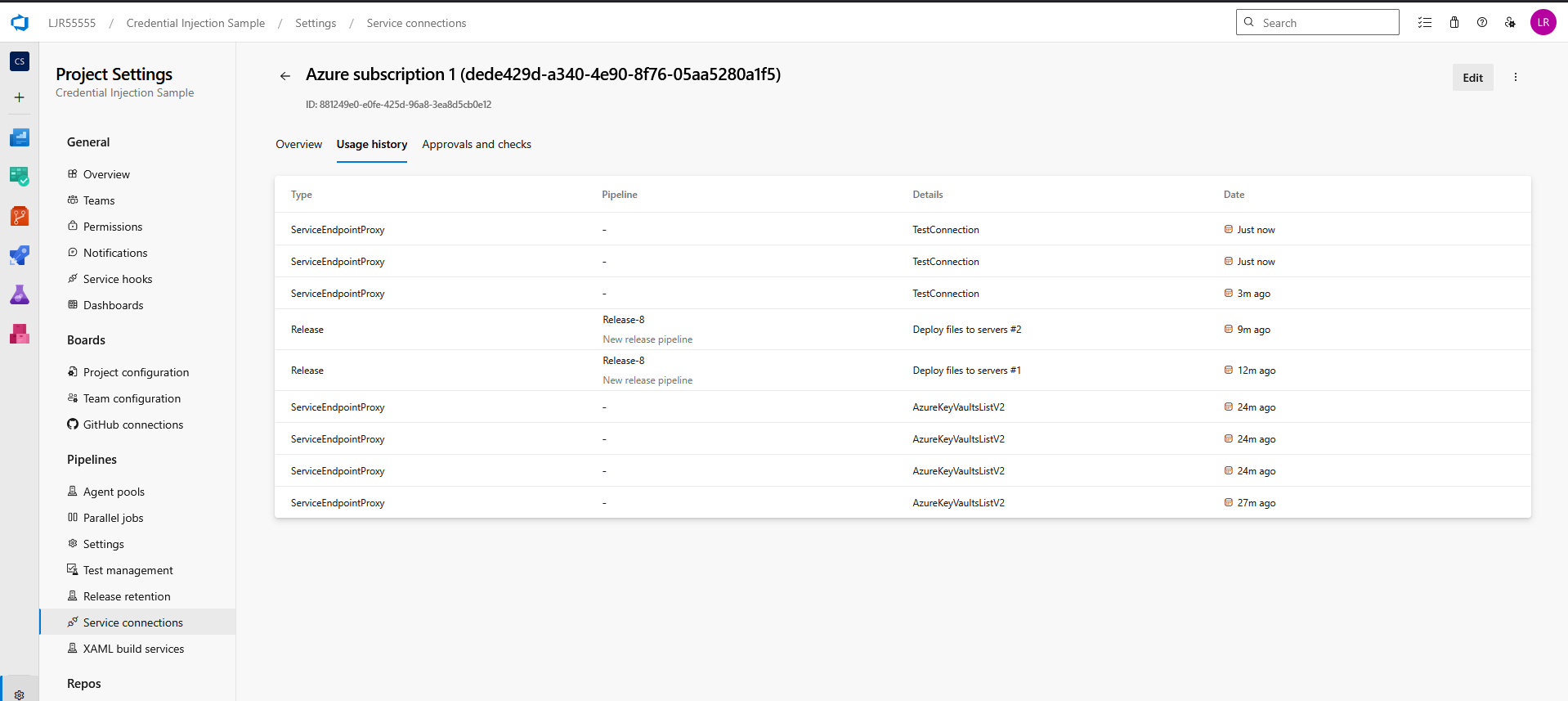
If you do not know which service connection is being used, update and run the pipeline. It will fail with a permission error, but the service connection’s usage history will reflect the release pipeline’s use:
Update your pipeline to retrieve the certificate from the Azure KeyVault. Add an Azure CLI task using an inline script
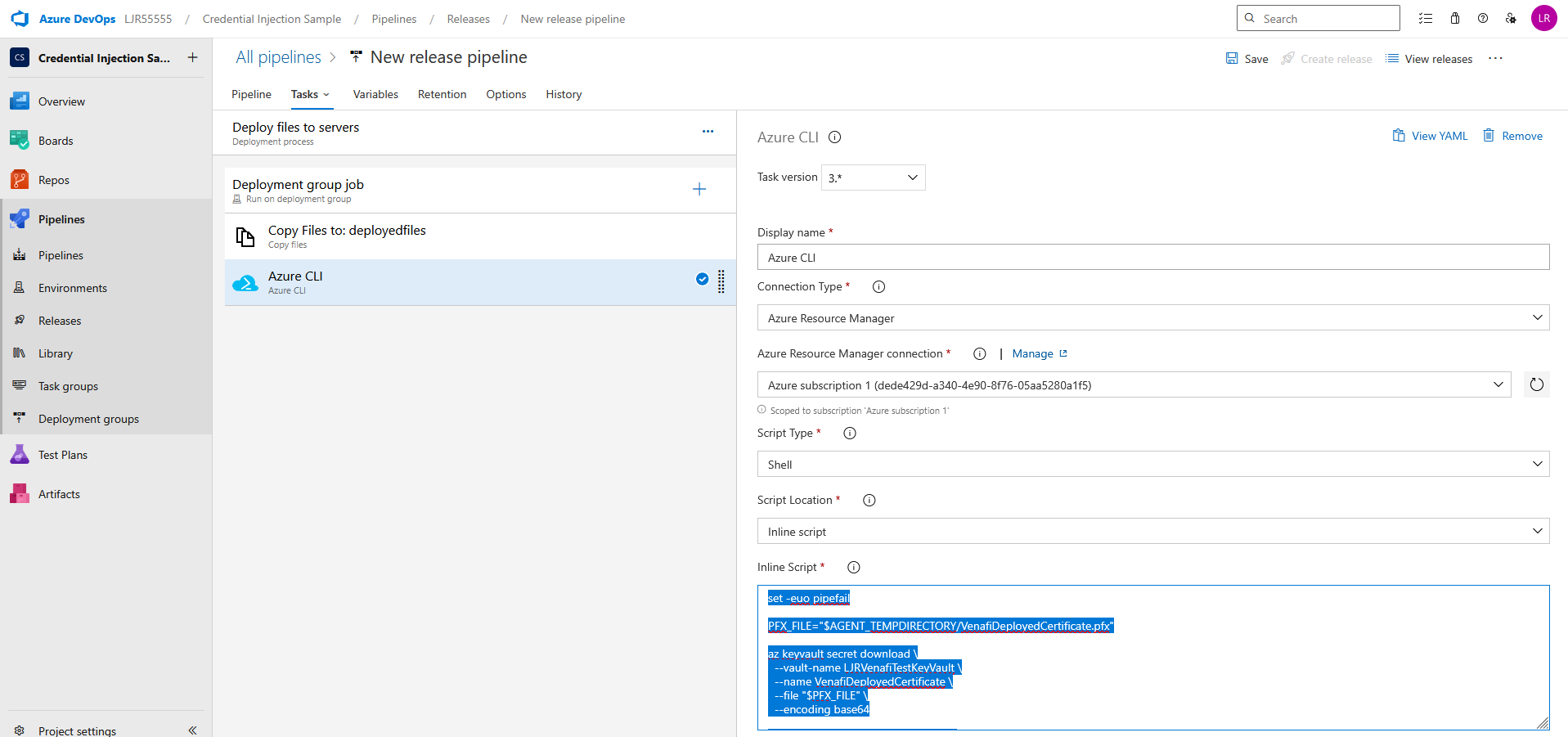
set -euo pipefail

PFX_FILE=”$AGENT_TEMPDIRECTORY/VenafiDeployedCertificate.pfx”

az keyvault secret download \

–vault-name LJRVenafiTestKeyVault \

–name VenafiDeployedCertificate \

–file “$PFX_FILE” \

–encoding base64

echo “Downloaded PFX to $PFX_FILE”

echo “##vso[task.setvariable variable=PFX_PATH]$PFX_FILE”

If you need a JKS file, add an additional bash task with an inline script
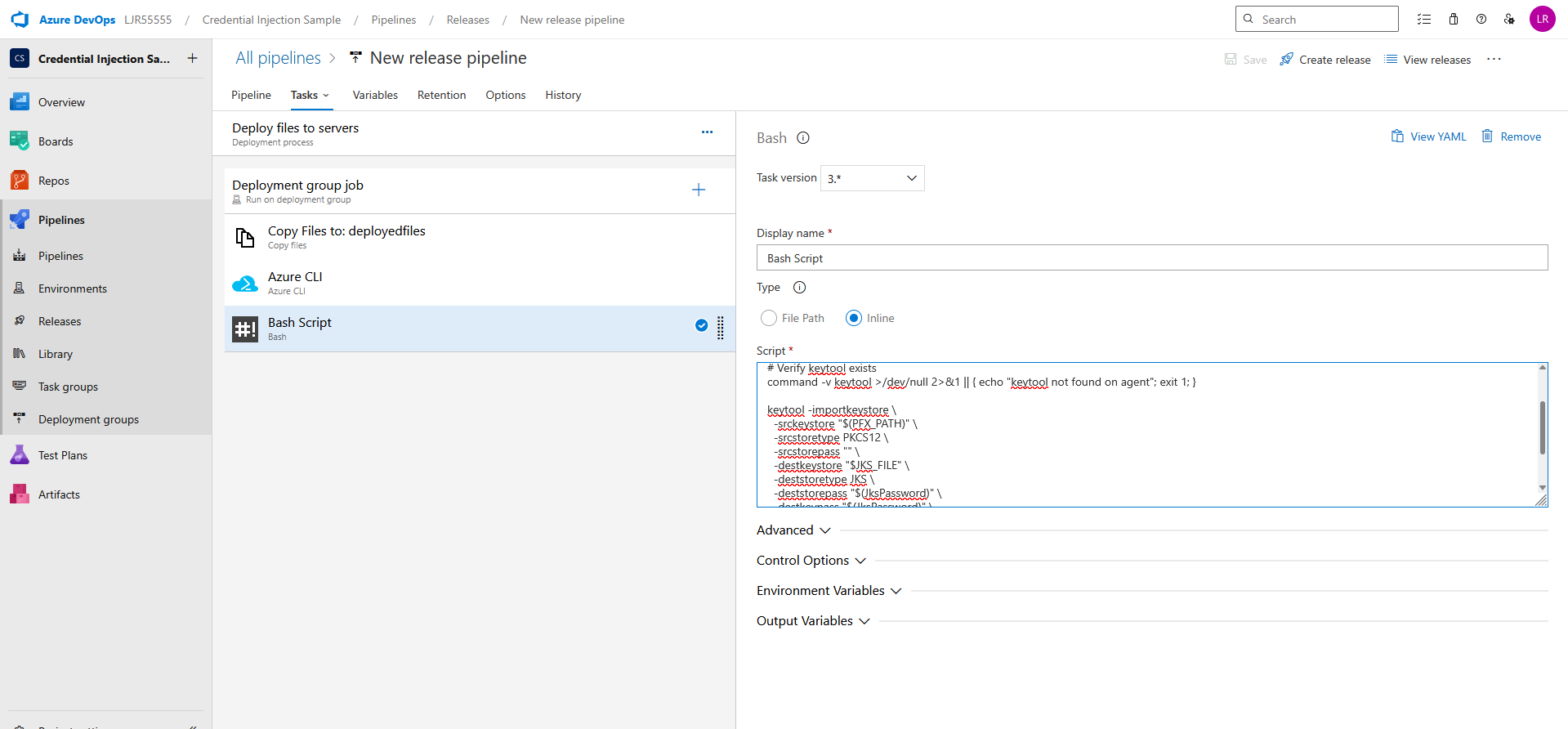
set -euo pipefail

JKS_FILE=”$AGENT_TEMPDIRECTORY/VenafiDeployedCertificate.jks”

# Verify keytool exists

command -v keytool >/dev/null 2>&1 || { echo “keytool not found on agent”; exit 1; }

keytool -importkeystore \

-srckeystore “$(PFX_PATH)” \

-srcstoretype PKCS12 \

-srcstorepass “” \

-destkeystore “$JKS_FILE” \

-deststoretype JKS \

-deststorepass “$(JksPassword)” \

-destkeypass “$(JksPassword)” \

-noprompt

echo “Created JKS at $JKS_FILE”

echo “##vso[task.setvariable variable=JKS_PATH]$JKS_FILE”

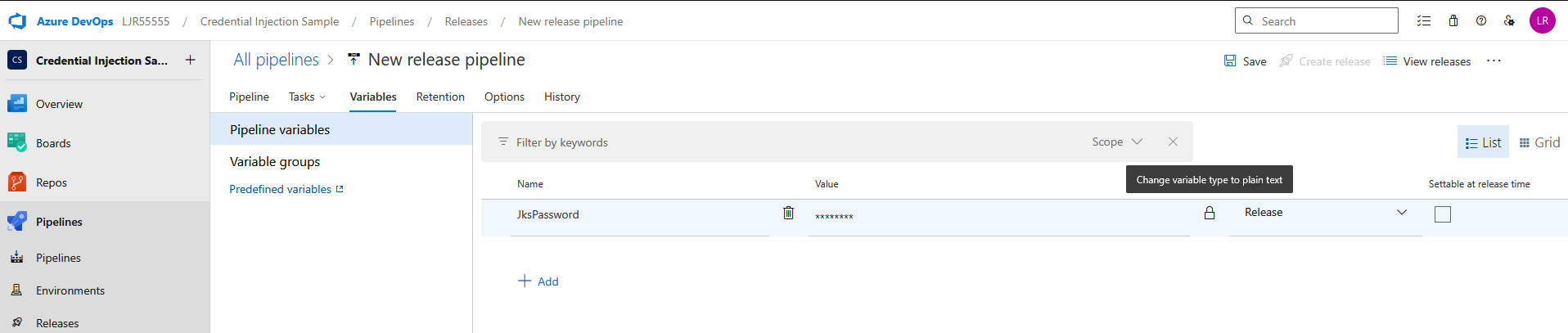
Add a pipeline variable for the JKS Password – make sure to click the lock icon to protect the password
And, finally, add a bash task task to copy the JKS or PFX file to the proper place on the server
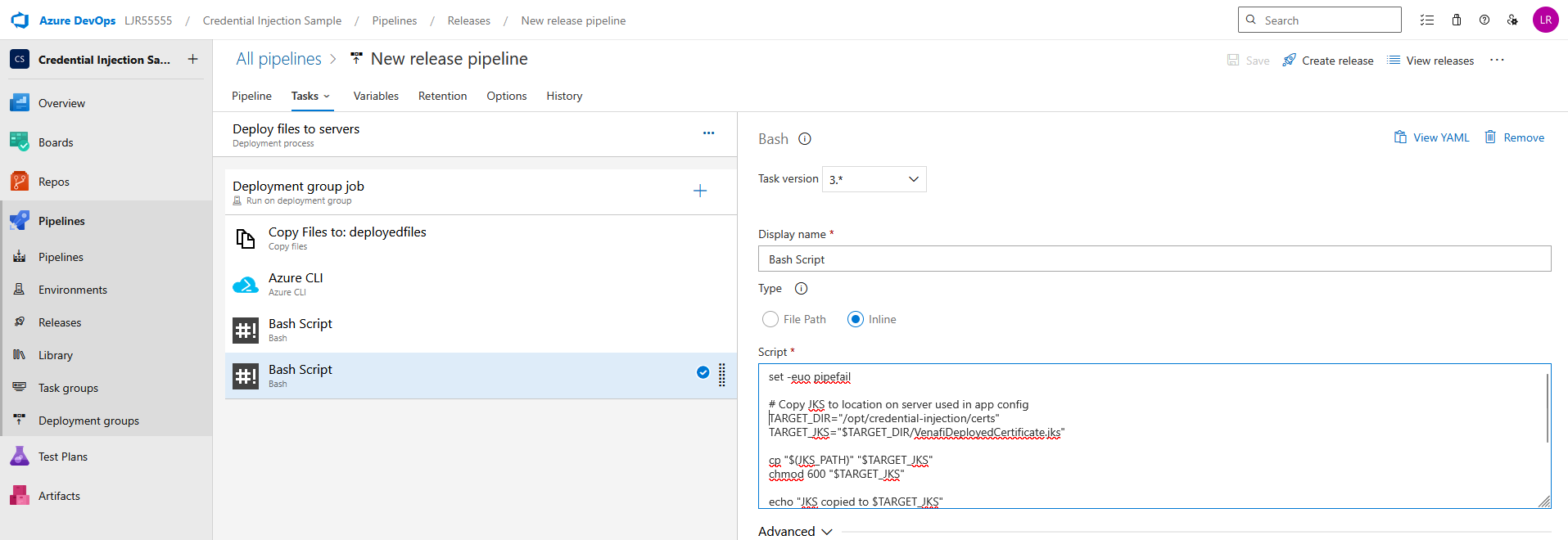
set -euo pipefail

# Copy JKS to location on server used in app config

TARGET_DIR=”/opt/credential-injection/certs”

TARGET_JKS=”$TARGET_DIR/VenafiDeployedCertificate.jks”

cp “$(JKS_PATH)” “$TARGET_JKS”

chmod 600 “$TARGET_JKS”

echo “JKS copied to $TARGET_JKS”

# Or copy pfx to location on server used in app config

TARGET_PFX=”$TARGET_DIR/VenafiDeployedCertificate.pfx”

cp “$(PFX_PATH)” “$TARGET_PFX”

chmod 600 “$TARGET_PFX”

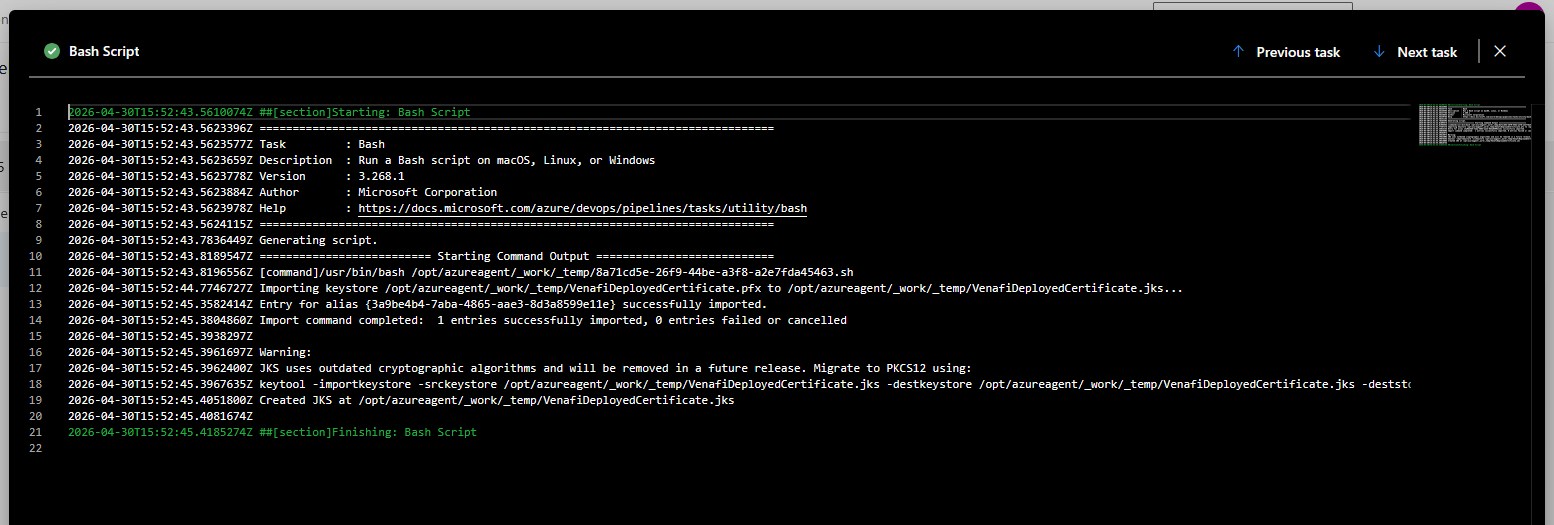
Create a release to run the pipeline. Looking at the logs, you should see a confirmation that the pfx file was created
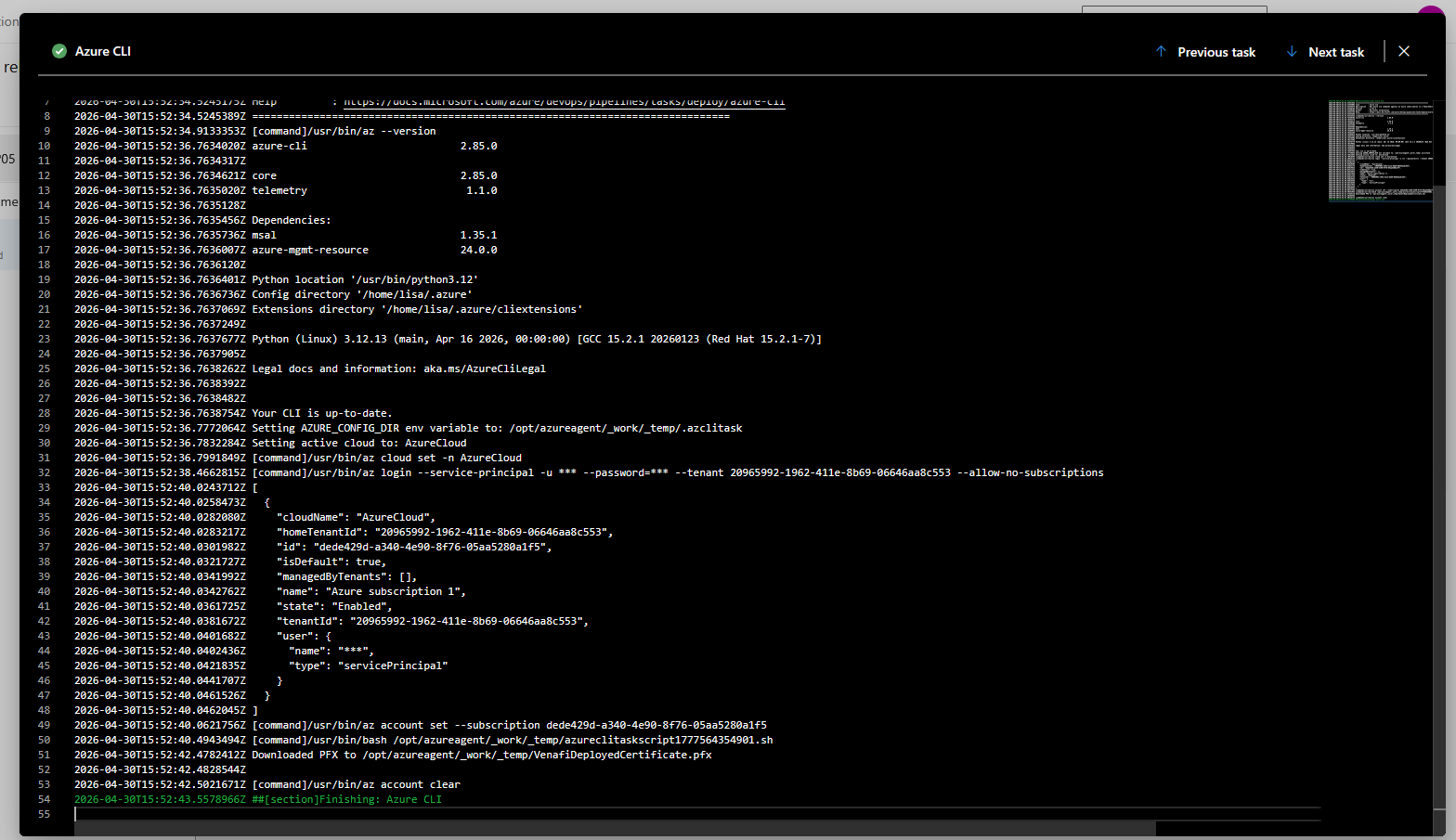
And, if you are creating a JKS file, a confirmation that it was created as well
You should also see the certificate file(s) on the server:


 

Time to Move Away from JKS Keystores

For many Java-based applications, Java KeyStore (JKS) has been the default for years. It’s familiar, widely used, and still supported. But “still supported” is not the same as “still the best choice.” If your application or platform supports it, now is a good time to move away from JKS and standardize on PKCS#12.

Why move away from JKS?

1. JKS is a proprietary format

JKS is Java-specific and tied to older Java conventions. By contrast, PKCS#12 is a standards-based format supported across platforms, tools, and vendors.

That difference matters operationally. Certificate and key material increasingly needs to work across Java applications, web servers, load balancers, cloud services, and automation tooling. PKCS#12 is far better suited to that multi-platform reality.

2. JKS has legacy security characteristics

JKS should not be considered a modern format for protecting private keys.

It uses non-standard, legacy protection mechanisms and has historically relied on weaker constructions than modern PKCS#12 implementations. As with any password-protected container, security depends heavily on password strength—but JKS offers less margin for error compared to more modern formats.

This becomes especially relevant if a keystore file is exposed. Offline password cracking is a realistic risk, and widely available tools can target JKS files—particularly when organizations use weak or reused passwords.

This does not mean existing JKS files are inherently compromised. It does mean JKS should no longer be the default when stronger, more widely supported alternatives exist.

3. Java itself moved on

The Java platform has already made this transition. Starting with Java 9, PKCS#12 became the default keystore type. JKS remains supported, but PKCS#12 is now the preferred standard in modern Java environments.

4. Many applications already support PKCS#12

In many environments, JKS persists simply because it’s what teams have always used—not because it’s required. Most modern Java frameworks, application servers, and tools support PKCS#12. For example, Tomcat has supported PKCS#12 since version 5.0, and current Java tooling handles it natively.

In practice, many applications can switch with little to no functional impact.

Why PKCS#12 is the better choice

PKCS#12 offers several clear advantages:

  • Broad interoperability across platforms and vendors
  • Better alignment with modern tooling and certificate automation
  • Reduced reliance on Java-specific legacy formats
  • Default support in current Java versions

What to do

If you manage Java applications or infrastructure, this is a good opportunity to review current keystore usage.

  • Identify where JKS keystores are currently in use
  • Verify whether those applications support PKCS#12
  • Review vendor documentation for any requirements or constraints
  • Update deployment standards to prefer PKCS#12 for new systems
  • Gradually migrate existing JKS-based deployments where practical

For many use cases, converting is straightforward. For example:

keytool -importkeystore \
  -srckeystore keystore.jks \
  -destkeystore keystore.p12 \
  -deststoretype PKCS12

Check vendor guidance

Before making changes, confirm support with the relevant application or platform vendor.

Key questions:

  • Does the application support PKCS#12 for keys and certificates?
  • Are there version-specific considerations?
  • Are configuration changes required?
  • Does the vendor recommend PKCS#12 for current deployments?

In most cases, the answer will be yes—but it’s still worth validating before making production changes.

Bottom line

JKS is not deprecated, but it is no longer the format organizations should be choosing by default.

It is a legacy, Java-specific keystore format with limited interoperability and older security characteristics. Meanwhile, PKCS#12 is standards-based, broadly supported, and the default in modern Java. If your application supports PKCS#12, prefer it. If you’re unsure, check—because in many cases, you can make the switch with minimal effort.

Choosing a modern keystore format is a small change that can meaningfully improve both security posture and operational flexibility.

SSL Cert Validity Periods Being Reduced

The CA/B Forum has decided to reduce the length of time digital certificates can be valid. The change is a gradual reduction that I expect is designed to make manual certificate renewal more and more cumbersome and drive people toward automating certificate management.

Currently: 398 days although many vendors issue certs for one year.
March 15, 2026: 200 days. Increased renewal frequency means manual tracking and renewal becomes more challenging.
March 15, 2027: 100 days. Manual tracking and renewal is painful, but possible.
March 15, 2029: 47 days. Automation is basically a requirement.