To remove records older than a week (7 days) from the journalctl log records:
journalctl --vacuum-time=7d
To remove records older than a week (7 days) from the journalctl log records:
journalctl --vacuum-time=7d
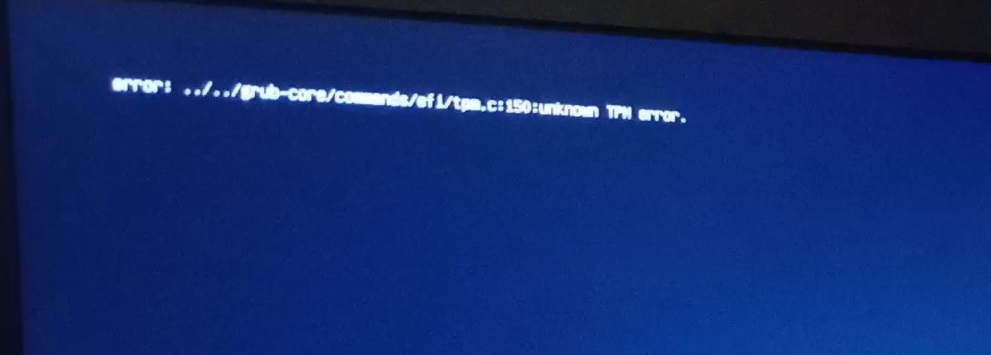
If you film the boot sequence and look frame by frame, you’ll see that it very briefly flashes a TPM error
error: ../../grub-core/commands/efi/tpm.c:150:unknown TPM error.
From what I’ve been able to glean, this secure boot stuff works off of signatures. Microsoft has signatures in BIOS. Everyone else kind of inserts their keys on the fly … so you can run out of space to save these keys and be unable to boot. To work around this, every time an update gets us over the limit, we go into the secure boot DBX management menu and reset the “Forbidden Signatures” from factory default. This is 13 keys instead of 373, and the OS is able to do it’s “thing” and boot.
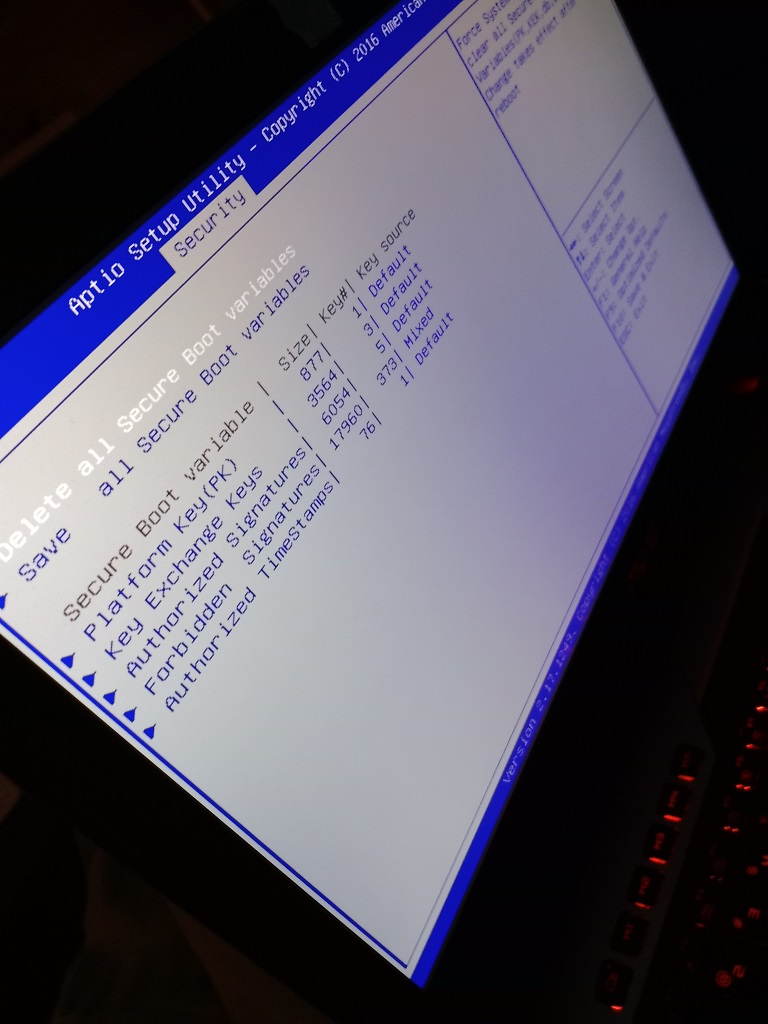
And I’m actually writing this down this time because I had spent a lot of time researching this last time Scott’s laptop failed to boot and dumped out to a grub menu. This time, I kinda know what we did and why but lost a lot of the details.
And a final note from my disaster recovery adventure — I had to use ddrescue to copy as much data from a corrupted drive as possible (ddrescue /dev/sdb /mnt/vms/rescue/backup.raw –try-again –force –verbose) — once I had the image, what do you do with it? Fortunately, you can mount a dd file and copy data from it.
# Mounting DD image
2023-04-17 23:54:01 [root@fedora /]# kpartx -l backup.raw
loop0p1 : 0 716800 /dev/loop0 2048
loop0p2 : 0 438835200 /dev/loop0 718848

2023-04-17 23:55:08 [root@fedora /]# mount /dev/mapper/loop0p2 /mnt/recovery/ -o loop,ro
mount: /mnt/recovery: cannot mount /dev/loop1 read-only.
       dmesg(1) may have more information after failed mount system call.

2023-04-17 23:55:10 [root@fedora /]# mount /dev/mapper/loop0p2 /mnt/recovery/ -o loop,ro,norecovery

2023-04-18 00:01:03 [root@fedora /]# ll /mnt/recovery/
total 205G
drwxr-xr-x  2 root root  213 Jul 14  2021 .
drwxr-xr-x. 8 root root  123 Apr 17 22:38 ..
-rw-r--r--. 1 root root 127G Apr 17 20:35 ExchangeServer.qcow2
-rw-r--r--. 1 qemu qemu  10G Apr 17 21:42 Fedora.qcow2
-rw-r--r--. 1 qemu qemu  15G Apr 17 14:05 FedoraVarMountPoint.qcow2
After the power came back on, I had to recover ext and xfs partitions —
# FSCK to clean up bad superblock
lsblk
fsck /dev/sdb
e2fsck -b 32768 /dev/sdb1
mount /dev/sdb1 /var

# xfs_repair for XFS FS on LVM
lvscan # get dev for LVM
mount /dev/fedora/root /mnt/oh
xfs_repair -L /dev/fedora/root
mount /dev/fedora/root /mnt/oh
We had a power outage on Monday that took out the drive that holds our VMs. There are backups, but the backup drive copies had superblock errors and all sorts of issues. To recover our data, I learned all sorts of new things — firstly that you can mount a QCOW file and copy data out. First, you have to connect a network block device to the file. Once it is connected, you can use fdisk to list the partitions on the drive and mount those partitions. In this example, I had a partition called nbd0p1 that I mounted to /mnt/data_recovery
modprobe nbd max_part=2
qemu-nbd --connect=/dev/nbd0 /path/to/server_file.qcow2
fdisk /dev/nbd0 -l
mount /dev/nbd0p1 /mnt/data_recovery
Once you are done, unmount it and disconnect from the network block device.
umount /mnt/data_recovery
qemu-nbd --disconnect /dev/nbd0
rmmod nbd
Scott was trying to move some backup files from /a/path/to/backup to /a/path/to-a-different/backup — he’s using Dolphin & has a tab open to each of the folders in question. He chown’d /a/path to his account, chmod’d /a/path so user can read and write. But using the copy/paste option … nothing happens.
I came across a few old (and closed) bugs that seemed to produce errors in this same situation — but the reporters were able to perform their copy/move operations when they used the same tab instead of having one folder open in each tab. It worked … inexplicable, but we have success!
We picked up a really nice color laser printer — a Dell 1350CN. It was really easy to add it to my Windows computer — download driver, install, voila there’s a printer. We found instructions for using a Xerox Phaser 6000 driver. It worked perfectly on Scott’s old laptop, but we weren’t able to install the RPM on his new laptop — it insisted that a dependency wasn’t found: libstdc++.so.6 CXXABI_1.3.1
Except, checking the file, CXXABI_1.3.1 is absolutely in there:
2022-09-17 13:04:19 [lisa@fc36 ~/]# strings /usr/lib64/libstdc++.so.6 | grep CXXABI
CXXABI_1.3
CXXABI_1.3.1
CXXABI_1.3.2
CXXABI_1.3.3
CXXABI_1.3.4
CXXABI_1.3.5
CXXABI_1.3.6
CXXABI_1.3.7
CXXABI_1.3.8
CXXABI_1.3.9
CXXABI_1.3.10
CXXABI_1.3.11
CXXABI_1.3.12
CXXABI_1.3.13
CXXABI_TM_1
CXXABI_FLOAT128
We’ve tried using the foo2hbpl package with the Dell 1355 driver to no avail. It would install, but we weren’t able to print. So we returned to the Xerox package.
Turns out the driver package we were trying to use is a 32-bit driver (even though the download says 32 and 64 bit). From a 32-bit perspective, we really didn’t have libstdc++ — a quick dnf install libstdc++.i686 installed the library along with some friends.
Xerox’s rpm installed without error … but, attempting to print, just yielded an error saying that the filter failed. I had Scott use ldd to test one of the filters (any of the files within /usr/lib/cups/filter/Xerox_Phaser_6000_6010/ — it indicated the “libcups.so.2” could not be found. We also needed to install the 32-bit cups-libs.i686 package. Finally, he’s able to print from Fedora 36 to the Dell 1350cn!
You can use dmidecode to list all sorts of information about the system — there is a list of device types that you can use with the “-t” option
   Type   Information
   ────────────────────────────────────────────
      0   BIOS
      1   System
      2   Baseboard
      3   Chassis
      4   Processor
      5   Memory Controller
      6   Memory Module
      7   Cache
      8   Port Connector
      9   System Slots
     10   On Board Devices
     11   OEM Strings
     12   System Configuration Options
     13   BIOS Language
     14   Group Associations
     15   System Event Log
     16   Physical Memory Array
     17   Memory Device
     18   32-bit Memory Error
     19   Memory Array Mapped Address
     20   Memory Device Mapped Address
     21   Built-in Pointing Device
     22   Portable Battery
     23   System Reset
     24   Hardware Security
     25   System Power Controls
     26   Voltage Probe
     27   Cooling Device
     28   Temperature Probe
     29   Electrical Current Probe
     30   Out-of-band Remote Access
     31   Boot Integrity Services
     32   System Boot
     33   64-bit Memory Error
     34   Management Device
     35   Management Device Component
     36   Management Device Threshold Data
     37   Memory Channel
     38   IPMI Device
     39   Power Supply
     40   Additional Information
     41   Onboard Devices Extended Information
     42   Management Controller Host Interface
Blah
[lisa@fedora ~/]# dmidecode -t 9
…
Handle 0x0024, DMI type 9, 17 bytes
System Slot Information
Designation: Slot6
Type: 32-bit PCI
Current Usage: In Use
Length: Short
ID: 6
Characteristics:
3.3 V is provided
Opening is shared
PME signal is supported
Bus Address: 0000:0a:02.0
The “Bus Address” value corresponds to information from lspci:
[lisa@fedora ~/]# lspci | grep “0a:02.0”
0a:02.0 Multimedia video controller: Conexant Systems, Inc. CX23418 Single-Chip MPEG-2 Encoder with Integrated Analog Video/Broadcast Audio Decoder
To view the scripts being executed by an RPM, use rpm -qp --scripts packagename
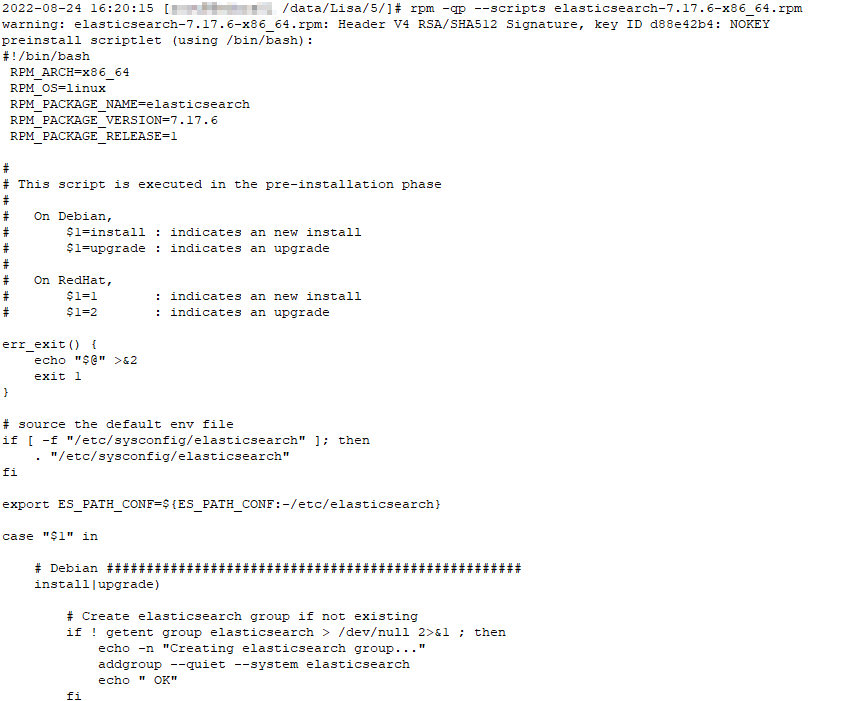
Beyond basic stuff like “dnf install somepackage” or downloading an rpm and using “dnf install my.package.rpm”, this is a running list of useful dnf commands.
List installed packages (similar to rpm -qa):
dnf list installed
List packages with updates available:
dnf check-update
Update everything but the kernel:
dnf update -x kernel*
Find package that provides something:
[lisa@rhel1 ~/]# dnf whatprovides cdrskin
Last metadata expiration check: 2:35:57 ago on Fri 12 Aug 2022 11:37:43 AM EDT.
cdrskin-1.5.2-2.fc32.x86_64 : Limited cdrecord compatibility wrapper to ease migration to libburn
Repo : fedora
Matched from:
Provide : cdrskin = 1.5.2-2.fc32

cdrskin-1.5.4-2.fc32.x86_64 : Limited cdrecord compatibility wrapper to ease migration to libburn
Repo : updates
Matched from:
Provide : cdrskin = 1.5.4-2.fc32
Package info, including version
[lisa@rhel1 ~/]# dnf info sendmail
Last metadata expiration check: 2:37:19 ago on Fri 12 Aug 2022 11:37:43 AM EDT.
Available Packages
Name : sendmail
Version : 8.15.2
Release : 43.fc32
Architecture : x86_64
Size : 730 k
Source : sendmail-8.15.2-43.fc32.src.rpm
Repository : fedora
Summary : A widely used Mail Transport Agent (MTA)
URL : http://www.sendmail.org/
License : Sendmail
Description : The Sendmail program is a very widely used Mail Transport Agent (MTA).
: MTAs send mail from one machine to another. Sendmail is not a client
: program, which you use to read your email. Sendmail is a
: behind-the-scenes program which actually moves your email over
: networks or the Internet to where you want it to go.
:
: If you ever need to reconfigure Sendmail, you will also need to have
: the sendmail-cf package installed. If you need documentation on
: Sendmail, you can install the sendmail-doc package.
Show history:
[lisa@rhel1 ~/]# dnf history
ID     | Command line                                                                                                      | Date and time    | Action(s)      | Altered
------------------------------------------------------------------------------------------------------------------------------------------------------------------------
   102 | remove liberation-fonts                                                                                           | 2021-11-28 18:44 | Removed        |    3
   101 | remove chromedriver                                                                                               | 2021-11-28 18:44 | Removed        |    2
   100 | remove google-chrome-stable                                                                                       | 2021-11-28 18:44 | Removed        |    1  < 99 | install liberation-fonts | 2021-11-28 18:42 | Install | 1 >
    98 | install chromedriver                                                                                              | 2021-11-28 18:38 | Install        |    2
    97 | remove mediainfo                                                                                                  | 2021-11-16 13:31 | Removed        |    4
    96 | install mediainfo                                                                                                 | 2021-11-16 13:29 | Install        |    4
Which brings up an interesting command — you can undo a history step instead of trying to uninstall the list of things you just installed.
dnf history undo 98 -y