This is kind of a silly update to my attempt to document using mod_auth_openidc in Apache. At the time, I didn’t know who set up the PingFederate side of the connection, so I just used Google as the authentication provider. Five years later, I am one of the people setting up the connections and can finally finish the other side. So here is an update — now using PingFederate as the OIDC/OAUTH provider.
OAUTH Client Setup – Apache
First, make sure mod_auth_openidc is installed

In your Apache config, you can add authentication to the entire site or just specific paths under the site. In this example, we are creating an authenticated sub-directory at /authtest
In the virtual host, I am adding an alias for the protected path as /authtest, configuring the directory, and configuring the location to require valid-user using openid-connect. I am then configuring the OIDC connection.
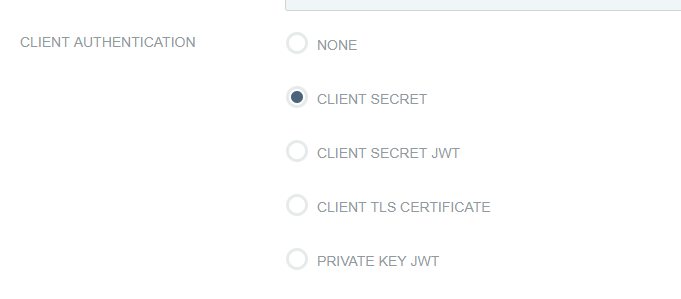
The OIDCClientID and OIDCClientSecret will be provided to you after the connection is set up in PingID. Just put placeholders in until the real values are known.
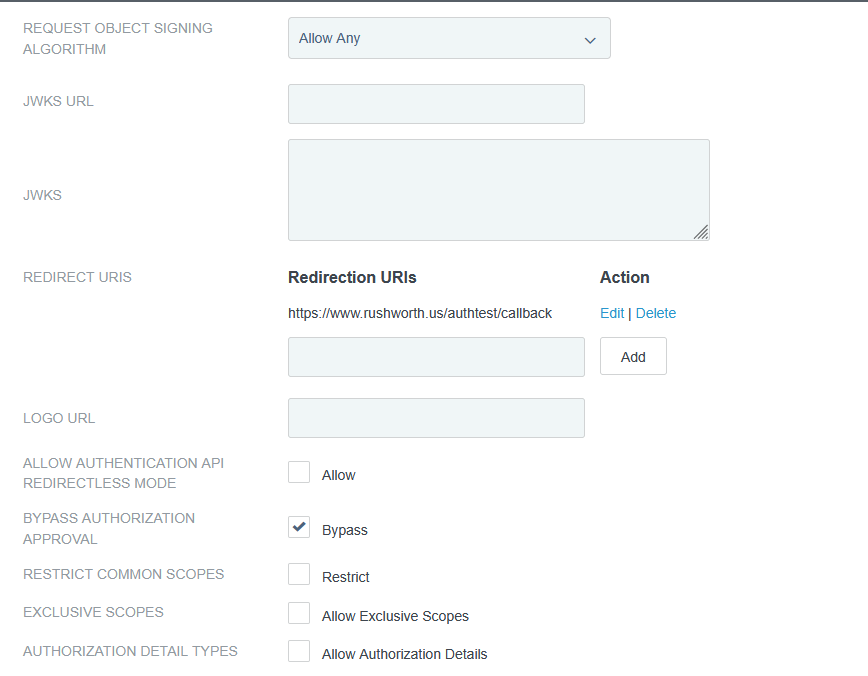
The OIDCRedirectURI needed to be a path under the protected directory for me – the Apache module handles the callback. Provide this path on the OIDC connection request.
The OIDCCryptoPassphrase just needs to be a long pseudo-random string. It can include special characters.
# Serve /authtest from local filesystem
Alias /authtest "/var/www/vhtml/sandbox/authtest/"

<Directory "/var/www/vhtml/sandbox/authtest">
Options -Indexes +FollowSymLinks
AllowOverride None
Require all granted
</Directory>

# mod_auth_openidc configuration for Ping (PingFederate/PingID)
# The firewall will need to be configured to allow web server to communicate with this host
OIDCProviderMetadataURL https://authpoint.example.com/.well-known/openid-configuration

# The ID and secret will be provided to you
OIDCClientID d5d53555-7525-4555-a565-b525c59545d5
OIDCClientSecret p78…Q2kxB

# Redirect/callback URI – provide this in the request form for the callback URL
OIDCRedirectURI https://www.rushworth.us/authtest/callback

# Session/cookie settings – you make up the OIDCCryptoPassphrase
OIDCCryptoPassphrase "…T9y"
OIDCCookiePath /authtest
OIDCSessionInactivityTimeout 3600
OIDCSessionMaxDuration 28800

# Scopes and client auth
OIDCScope "openid profile email"
OIDCRemoteUserClaim preferred_username
OIDCProviderTokenEndpointAuth client_secret_basic

# If Ping's TLS cert at https://localhost:9031 isn't trusted by the OS CA store,
# install the proper CA chain, or temporarily disable validation (not recommended long-term):
# OIDCSSLValidateServer Off

# Protect the URL path with OIDC
<Location /authtest>
AuthType openid-connect
Require valid-user
OIDCUnAuthAction auth
</Location>
Sample web code for the “protected” page if you want to use the user’s ID. The user’s email is found at $_server[‘OIDC_CLAIM_email’]
[lisa@fedora conf.d]# cat /var/www/vhtml/sandbox/authtest/index.php
<?php
     if( isset($_SERVER['OIDC_CLAIM_iss']) && $_SERVER['OIDC_CLAIM_iss'] == "https://authpoint.example.com"){
          echo "I trust you are " . $_SERVER['OIDC_CLAIM_username'] . "\n";
     }

else{
     print "Not authenticated ... \n";
     print "<UL>\n";
     foreach($_SERVER as $key_name => $key_value) {
          print "<LI>" . $key_name . " = " . $key_value . "\n";
     }

     print "</UL>\n";
}
?>
Results on the web page – user will be directed to PingID to authenticate, and you will verify that the auth point has authenticated them as the OIDC_CLAIM_username value.
OAUTH Client Setup – PingID
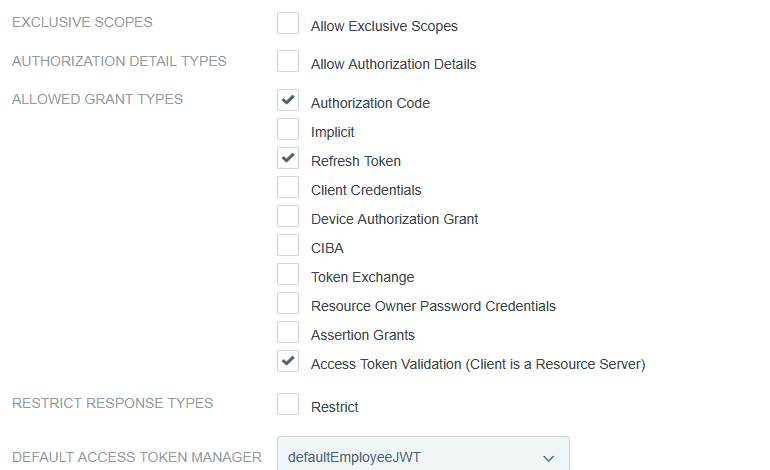
Client auth, add redirect URLs