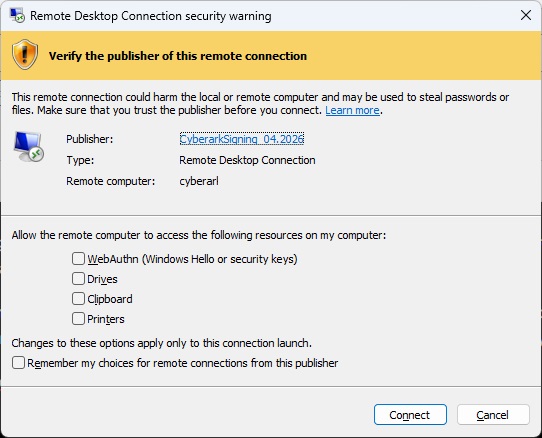
With recent Windows updates, users now get a big message saying “Caution: Unknown remote connection” when launching RDP sessions from our CyberArk server. Easy enough – I have an internal CA, I can generate a code signing certificate, so I can sign these RDP files.
Except, in testing, I continually got an error indicating rdpsign cannot find the certificate. It’s there. I have a private key. It’s a code signing certificate. An hour or so later, I realize the “sha256” value is actually the SHA-1 thumbprint. Which … not my first guess and really more of a “out of reasonable options, start trying silly things” guess.
“$env:SystemRoot\System32\rdpsign.exe” /v /sha256 $hash256 $rdp
Voila, “All rdp file(s) have been successfully signed.”
Sigh — and, after all this work? I go from the red “unknown publisher” error to a yellow “yeah, you should think about this” banner.